Shell Script If Statements: A Complete Guide
Shell script if statements let you check files and strings before commands run. See which test operators work and avoid portability traps in setup scripts.
tl;dr the short answer
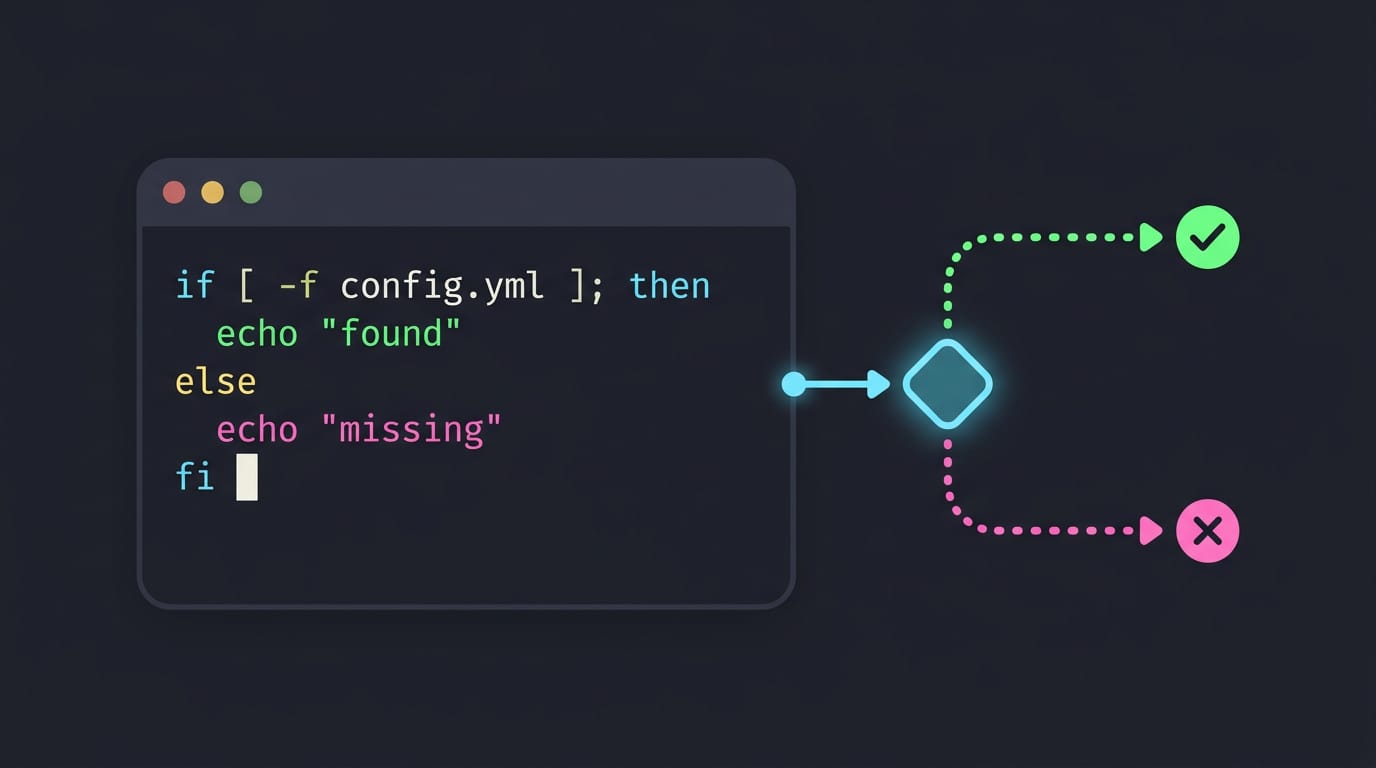
A shell script if statement checks a command or condition and chooses what to do based on its exit status: zero means success, and any other status means failure. Use then, elif, and else to define branches, and test numbers, strings, files, and directories with the appropriate operators, quoting variables and keeping required spaces. Prefer POSIX syntax when scripts must run in different shells, so setup tasks can fail clearly, skip existing files, and run predictably.
Picture a coffee maker that only brews when the tank is full. Shell scripts work the same way: they check a condition first, then decide what happens next.
The if statement makes that possible, turning a list of commands into a script that adapts to the machine it runs on.
In this post, you’ll learn the basic if syntax, the test operators that check files and strings, and the portability traps that catch even experienced tinkerers.
Then we’ll put those conditionals to work in the install and bootstrap scripts that set up your dotfiles (the config files behind your terminal, bar, and editor) on a fresh machine.
Using If Statements in a Shell Script
Scripts make decisions constantly. The if statement is how you hand them those choices.
Writing a simple if then fi block
An if block needs a test, then, and fi (if backward).
a=7
b=12
if [ "$a" -lt "$b" ]; then
  echo "a is smaller"
fi
Spaces inside the brackets are required: [$a -lt $b] fails. Use -lt, -gt, and -eq for numbers.
A student’s bootstrap script can check memory first and quit before half-installing a desktop on an old ThinkPad.
Make setup.sh executable with chmod +x setup.sh, then run ./setup.sh. Its first line, the shebang #!/bin/sh, names the interpreter.
Adding else, elif, and combined conditions
else is the default branch for a failed test. elif (else if) adds a middle check. Use -a when both tests must pass, -o when either can.
Here’s a triangle classifier:
if [ "$a" -eq "$b" -a "$b" -eq "$c" ]; then
  echo "equilateral"
elif [ "$a" -eq "$b" -o "$b" -eq "$c" -o "$a" -eq "$c" ]; then
  echo "isosceles"
else
  echo "scalene"
fi
For one-liners, && runs the next command on success, while || runs it on failure: mkdir -p ~/.config/kitty || exit 1 quits if the folder can’t be made.
How POSIX defines if command behavior
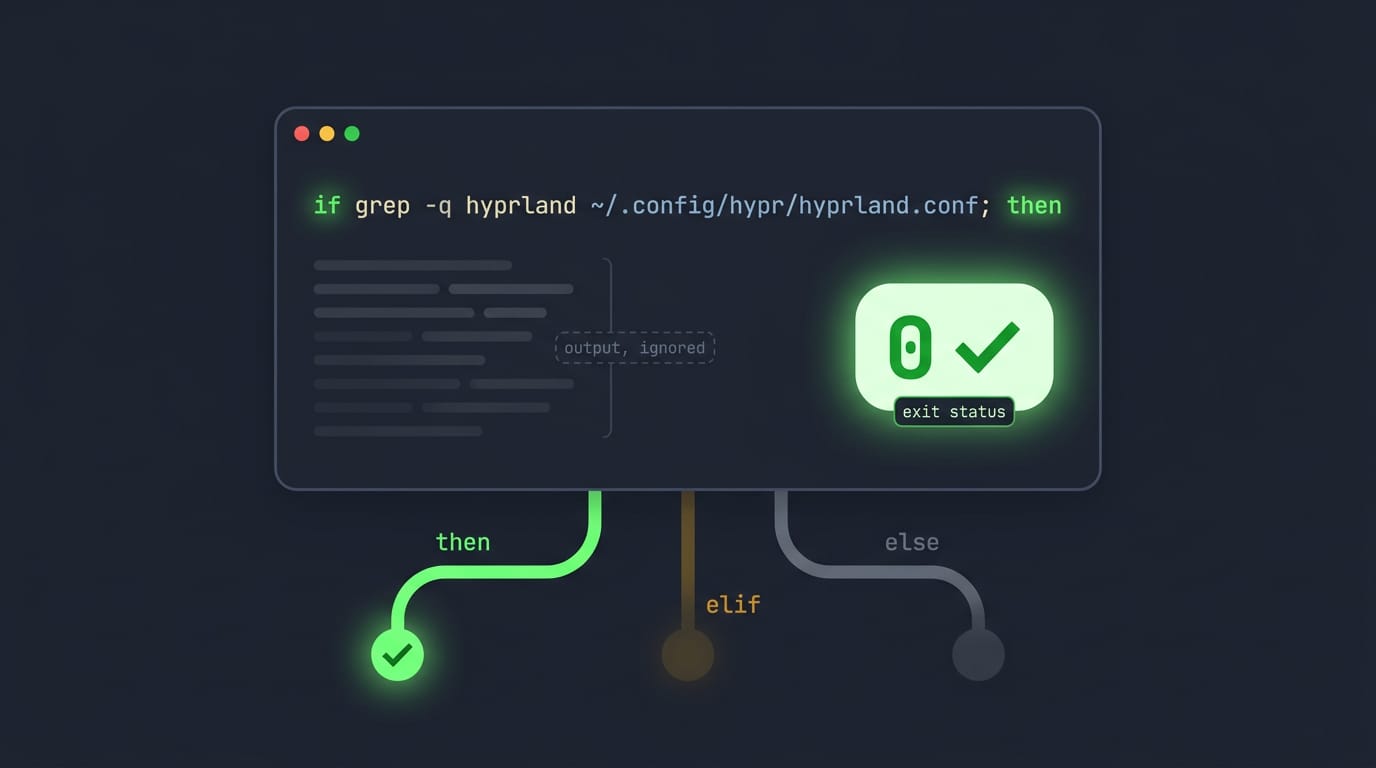
POSIX, the shell standard, treats the condition as a compound-list. Only its final exit status counts: zero means true, anything else means false. So if grep -q hyprland ~/.config/hypr/hyprland.conf; then works by checking the exit status, not the output.
then runs when the status is zero, each elif is checked only after earlier tests fail, and else catches what’s left.
The if itself exits with the status of the branch that ran, or zero if none did. Zero means success.
Checking Conditions with Test Operators
Every if needs a test, and in shell that’s usually a command.
How the test command and brackets work
[ is a command, not special syntax, so you’ll need spaces around each piece: [ -d "$dir" ]. The test command is the same thing without the bracket. [[ is a compound command the shell parses itself, so unquoted variables don’t get split apart.
Plain [ picks its test by how many arguments it gets: one checks for non-empty text, two expects a flag like -d, and three compares with an operator like =.
Comparing whole numbers with -eq and -gt
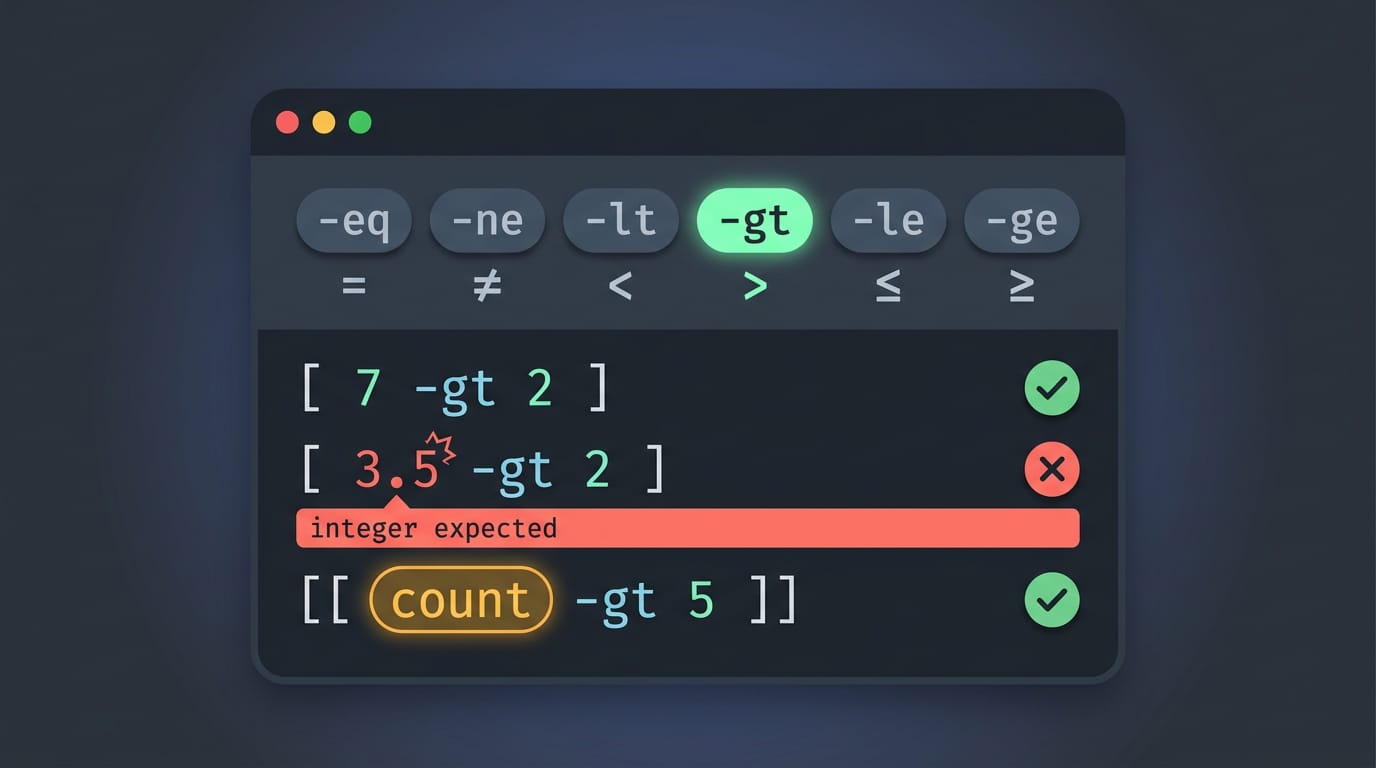
Numbers get word operators: -eq and -ne for equal and not equal, -lt and -gt for less and greater than, and -le and -ge add the or-equal case. Operands must be integers, or [ 3.5 -gt 2 ] errors out.
Inside [[, operands are evaluated as arithmetic, so [[ count -gt 5 ]] works without a $.
Does Bash use = or ==?
Bash accepts = and == for equality, and != for not equal. = is the portable choice, since POSIX (Portable Operating System Interface) defines only that operator. Inside [[, = and == are identical and both pattern-match, as in [[ $file == *.conf ]].
Use < and > for lexicographic (dictionary-style) order, inside [[ only, since plain [ reads an unquoted < as a redirection. -z is true for empty strings and -n for non-empty ones.
How to check if a directory exists?
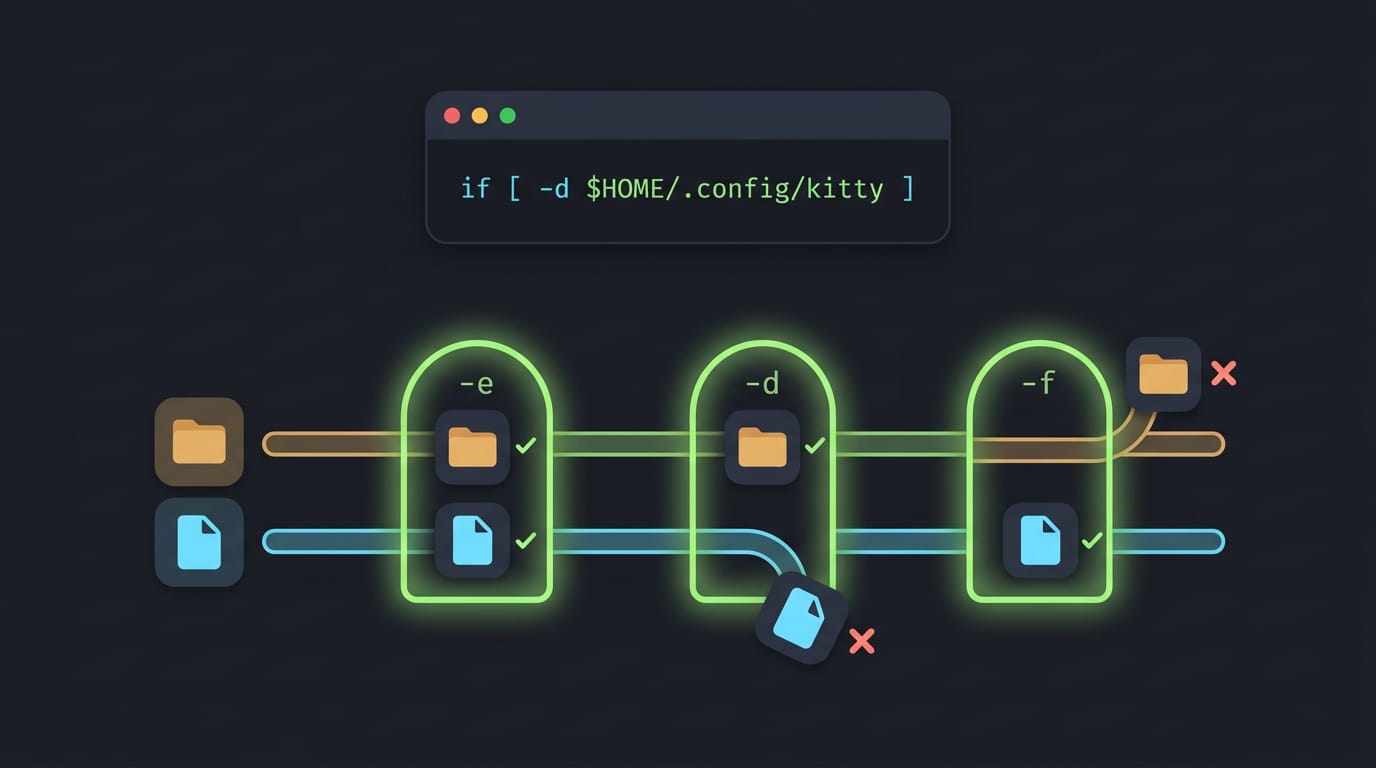
Use -d: if [ -d "$HOME/.config/kitty" ] checks for a directory. -e asks whether anything exists at a path, file or directory alike, so if [ -e "$path" ] answers the existence question.
The stricter -f passes only for regular files, so a directory fails it.
Other file tests come in a few groups:
- Permissions:
-r,-w, and-xcheck readable, writable, and executable. - File age:
-ntand-otcompare which file is newer or older. - Special files:
[[ -p /dev/stdin ]]detects piped input. - Variables and options:
[[ -v name ]]checks a variable is set,[[ -R name ]]checks for a nameref (a variable pointing at another), and[[ -o noclobber ]]checks a shell option.
For dotfiles, say a homelab tinkerer reruns a bootstrap script after a reinstall. Checking if [ -L "$HOME/.vimrc" ] skips any symlink (a link to another file) already in place. Existing links stay put.
Common Mistakes and Portability Problems
Most broken if statements come down to a few habits that look right but fail.
Why wrapping grep in brackets fails
Wrapping a command in brackets, as in if [ grep -q "$pattern" file ], looks reasonable but doesn’t work. The brackets call test, which treats everything inside as operands, not a command to run.
Skip them: if evaluates commands directly and reads their exit status (0 means success), so if grep -q "$pattern" file; then is all you need.
Quote variables inside tests too. An unquoted empty $name vanishes and throws off [ -n $name ], while [ -n "$name" ] stays safe.
Keeping scripts portable across different shells
Bashisms are features only Bash understands, like [[ ]], while POSIX is the shared baseline most shells follow. A ricer whose bootstrap script uses [[ may watch it die halfway through on a fresh server with a plainer shell.
- Read the manual for your target shell rather than trusting memory.
- Lint with ShellCheck, a linter that flags many common mistakes before you run anything.
- Check before you install.
command -vconfirms a tool exists, so a missing dependency fails clearly, not halfway through.
Spacing and sorting rules that trip people up
Spaces are syntax. [ "$a" = "$b" ] works, but ["$a"="$b"] fails, because [ must stand alone as a command.
The 6.2 Comparing strings lesson notes that test uses ASCII ordering for < and >.
Inside [[ ... ]], the Bash Reference Manual says those operators sort by your locale instead, so the same filenames can sort differently on another machine. Know which comparison you’re running.
Once you know the syntax, the test operators, and the traps to avoid, if statements stop feeling like magic.
They become the part of your script that checks before it acts, whether that means skipping a config link that already exists or stopping cleanly when a required tool is missing.
A dotfiles install built this way stays predictable, whether you’re setting up a new laptop or re-running the script after a distro upgrade. Small, careful checks are what make a script you can trust to run twice.
References
- 6.2 Comparing strings — ntci.on.ca
- Bash Reference Manual — hpc.nih.gov
Questions
What is the syntax for the `if...else` statement in Bash?
Use `if condition; then commands; else commands; fi`. For additional conditions, use `elif condition; then` before the `else` branch.
What is the command to run a shell script?
Run a shell script with `sh script.sh` or with its intended interpreter, such as `bash script.sh`. You can also make it executable with `chmod +x script.sh` and run it as `./script.sh`.
How to check if a directory exists in shell script?
Use the `-d` test: `if [ -d "$dir" ]; then ...; fi`. Keep spaces inside the brackets and quote the directory path.
How do you execute a shell script?
Run it with its interpreter, for example `sh script.sh` or `bash script.sh`. Alternatively, add a shebang such as `#!/bin/sh`, make the file executable with `chmod +x script.sh`, and run `./script.sh`.
How to use if condition in shell script?
Write `if [ condition ]; then` followed by the commands to run when the test succeeds, and close the block with `fi`. For example: `if [ -f "$file" ]; then echo "Found"; fi`. Remember the spaces around the test inside `[` and `]`.
Does Bash use or ==?
Bash accepts both `=` and `==` for equality in string tests. Use `=` for portability to POSIX shells; inside Bash `[[ ... ]]`, either operator works, and both support pattern matching.
What does if [-e] mean in Bash?
`-e` is a file test that succeeds if a path exists, whether it names a file, directory, or another filesystem object. For example, `[ -e "$path" ]` checks whether anything exists at that path; use `-d` to check specifically for a directory.
Sources
- 6.2 Comparing strings, ntci.on.ca
- Bash Reference Manual, hpc.nih.gov
Read next.
GitHub Max File Size: Limits and How to Fix Them
GitHub max file size can block a whole push over one oversized file. See how Git LFS and media hosts keep big files out of your repo history.
GitHub Untracked Files Explained and How to Delete Them
GitHub untracked files clutter project folders. Find, ignore, stash, or safely delete them with git clean, including ignored files and dotfile pitfalls.
Ubuntu Rename File Guide: GUI, Terminal and Bulk Methods
Rename a file on Ubuntu with F2 or mv, and use safe previews for batch changes by pattern while avoiding quoting mistakes with tricky filenames.