Install Ansible: Package Manager, pip, or pipx Explained
Install Ansible with your distro’s package manager, pip, or pipx, then verify it works and take the next step toward automating repeat setup on your machine.
tl;dr the short answer
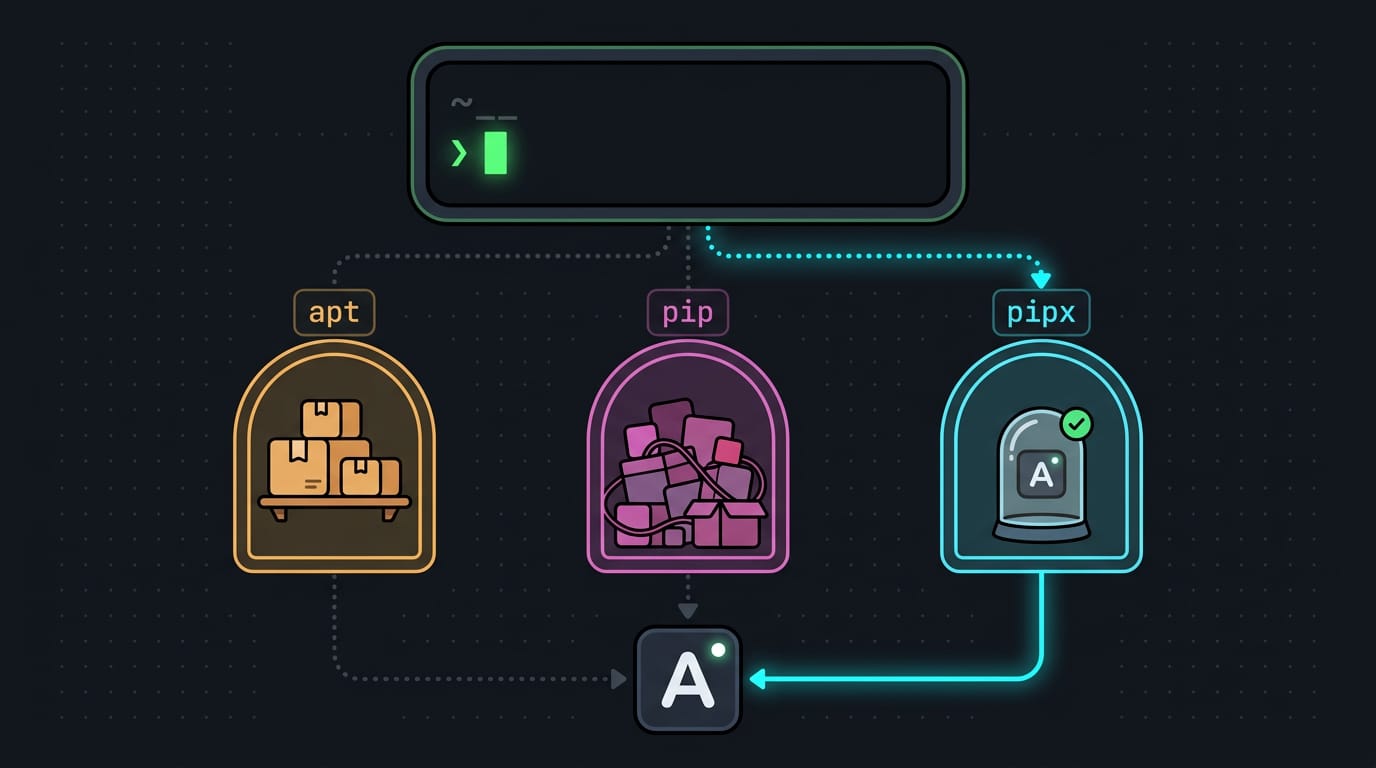
Ansible is an automation tool that configures computers by running instructions written in plain-text playbooks. Install it through your Linux distribution’s package manager, pip, or pipx, choosing pipx or a virtual environment when you want an isolated Python installation, then run `ansible --version` to confirm which copy your shell will use. Add your machines to an inventory, test connectivity, and use playbooks to repeat setup reliably.
Picture setting up a fresh laptop for the tenth time. You install the same tools, copy the same dotfiles, and tweak the same settings by hand. Ansible handles that repetitive work by running your steps from a plain-text file called a playbook.
Getting Ansible onto your machine is the first step, and it’s simpler than it looks.
Here, we’ll cover what you need, the main install paths: your distro’s package manager, pip (Python’s package installer), and pipx. We’ll also show how to confirm it’s working, what to do next, and a few tips for editing playbooks on the Linux desktop.
What You Need to Install Ansible
Ansible’s requirements split into two groups: the machines you run it from and the machines it configures. Is Ansible still used in 2026? Its needs are modest enough for current hardware and distros, so it still fits a personal setup.
What your control node needs
The control node is the machine you run Ansible from.
- Linux or Unix. It should run Linux, Unix, or macOS, according to an Ansible thesis from the University of Bologna.
- No Windows. Windows isn’t supported as a control node, so it can only be a managed host.
- Python 2.6 or later. Make sure Python 2.6 or newer is installed.
- No special hardware. Ansible needs nothing exotic here. Your everyday laptop is plenty.
What your managed hosts must have
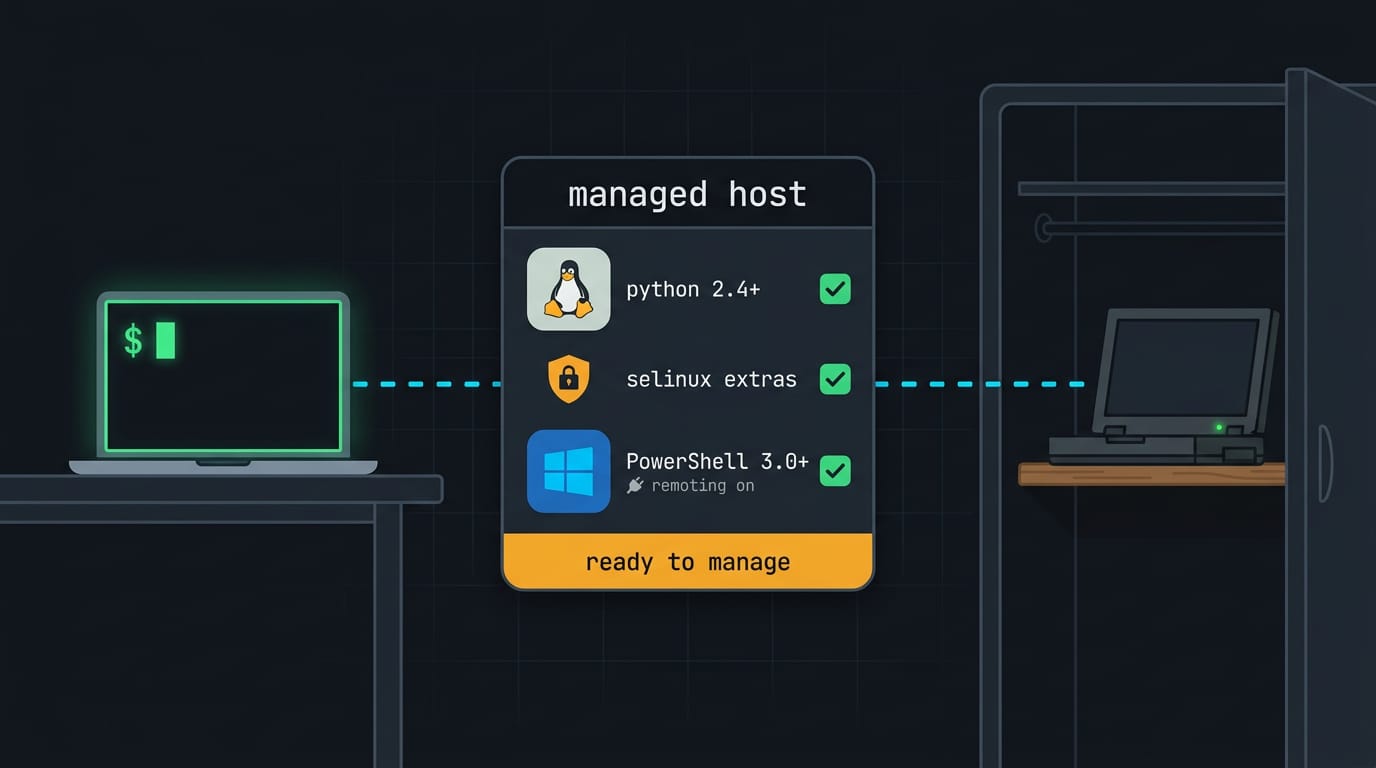
The managed hosts are the machines Ansible configures. Say your hyprland laptop is the control node and an old ThinkPad in the closet runs a home server. Once it’s a managed host, one playbook (Ansible’s instruction file) can configure it from your desk.
- Python 2.4 or later on Linux. RED OS’s knowledge base confirms that Linux hosts need Python 2.4 or newer.
- Extras for old or SELinux systems. Very old RHEL5 hosts also need python-simplejson, and hosts running SELinux (Security-Enhanced Linux) need libselinux-python.
- Windows: PowerShell 3.0 or later. Windows hosts need PowerShell, Microsoft’s scripting shell, at version 3.0 or newer, per DeepWiki’s ansible.windows requirements page. You also need PowerShell remoting enabled so Ansible can connect.
Prepare your system before installing
Get the base system current first:
- Update package lists. Refresh the index your package manager uses to find software.
- Upgrade installed packages. Bring what’s already on the machine up to date.
- Install software-properties-common on Ubuntu. This helper package manages extra software sources, the places your package manager fetches software from.
Ways to Install Ansible
Ansible can arrive through your distro’s package manager or through Python’s own tooling. Pick the route that matches your system. Alpine Linux package manager commands are worth learning if your system runs Alpine.
Installing on Ubuntu or Debian with apt
On Ubuntu, add the Ansible personal package archive (PPA) with sudo add-apt-repository ppa:ansible/ansible. Debian’s default repos may carry an older release, so check the version before you assume it’s current.
Then run sudo apt update and sudo apt install -y ansible. The -y flag answers yes to the prompt, so the install doesn’t stall halfway.
Say you’re building a fresh Ubuntu box for your homelab: those two commands give you a working ansible before your coffee cools.
Using yum on RHEL or CentOS
On RHEL, check your Python version with python3 --version, then run sudo yum install -y ansible. On CentOS, enable the EPEL (Extra Packages for Enterprise Linux) repository first with sudo yum install -y epel-release, then run the same install.
Installing with Python’s pip package manager
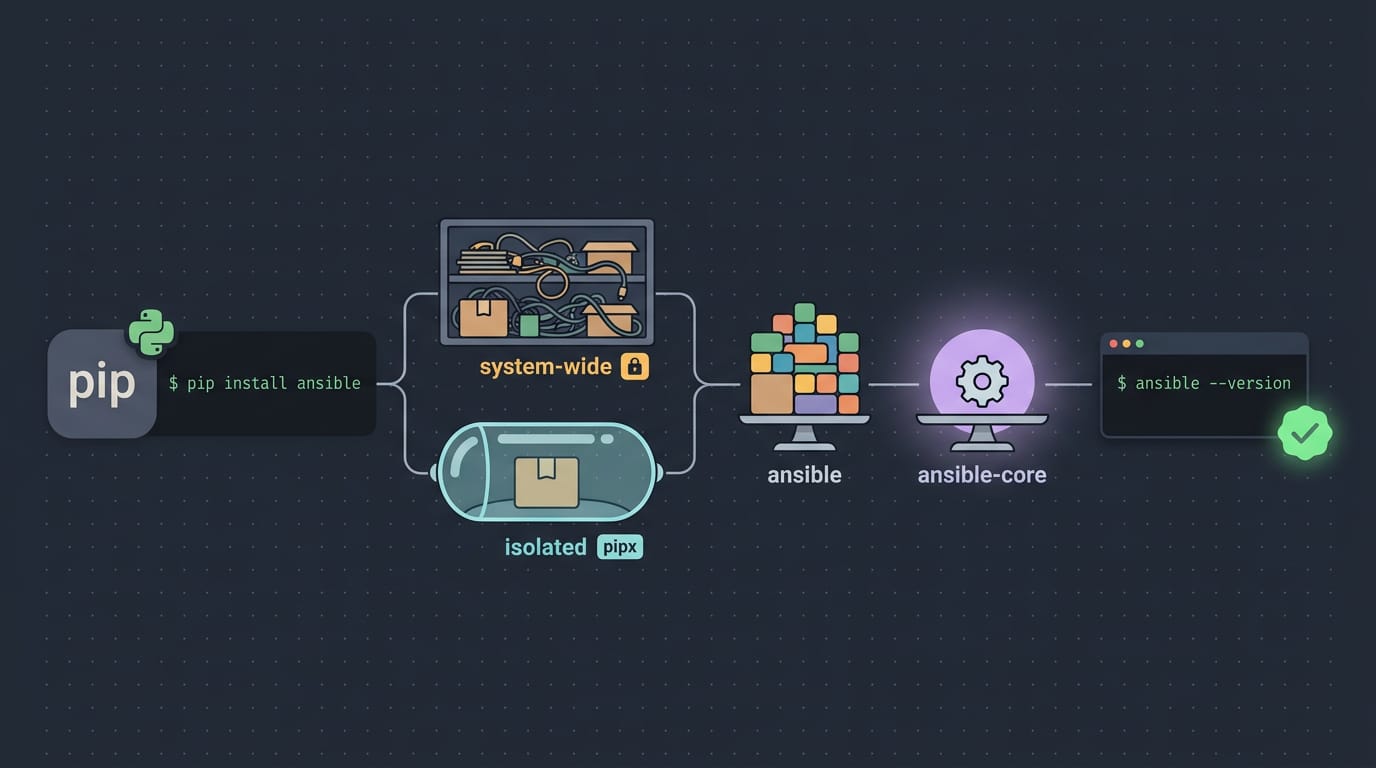
pip is Python’s package manager. If it’s missing, sudo easy_install pip can add it. Then sudo pip install ansible installs system-wide, while pipx keeps Ansible in its own isolated environment. A virtualenv gives you the same isolation by hand.
Pick your package with care: ansible bundles a curated set of collections, while ansible-core is the engine alone.
Whichever route you take, run ansible --version to confirm the install worked. Check it before you trust it.
Confirm Your Install Is Working
Before you write a single playbook, make sure Ansible is really on your system and that your shell finds the copy you expect. One command covers both checks.
How to check Ansible’s installed version?
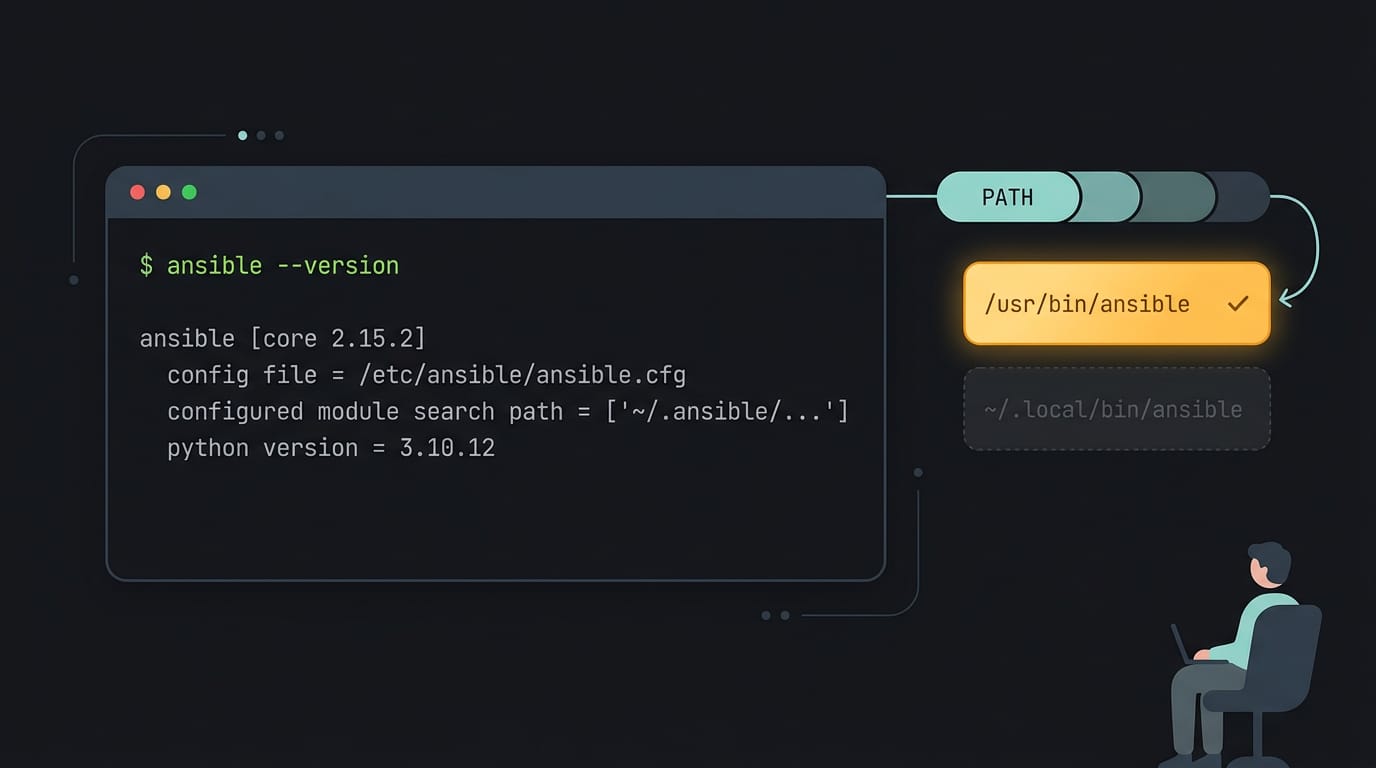
Wondering how to check if Ansible is installed in Linux? Open a terminal and run ansible --version. If a version number prints, Ansible is installed.
If you see “command not found,” it isn’t on your path yet, so revisit your install method before going further.
Here’s what the output tells you:
- The version and the configuration file Ansible is reading, so you know which settings apply to your runs.
- The module path and the Python version Ansible runs on. These describe your setup exactly, so save them when you ask for help.
For example, a Linux user who installed with their package manager last spring and later tried a pipx copy from a tutorial can run this command and see which copy the shell finds first.
That’s the real question: not just whether Ansible exists, but which one your playbooks will run on. Run it once, and you’re sure.
What to Do After Installing Ansible
Ansible is installed, but it doesn’t know your machines yet. The first steps are to tell it where your servers live, confirm it can reach them, then write playbooks.
Set up your server inventory
Ansible keeps its machine list in an inventory, at /etc/ansible/hosts by default. Open that file (you may need sudo), swap the sample entries for your server IP addresses, and group related machines under bracketed names.
Host groups let you target a whole set at once.
Picture a self-hoster with a Raspberry Pi and a virtual private server (VPS). Grouped under [homelab], both answer to one name, so one command reaches both.
A static inventory is a file you maintain by hand, suited to a few machines. A dynamic inventory pulls the host list from a source like a cloud provider. Static is something you write; dynamic is something you query.
Terraform often comes up here, which raises a common question: is Ansible better than Terraform? Neither is better, since they solve different problems. Terraform provisions machines, while Ansible configures them once they exist.
Next, run ansible all -m ping. It sends a one-off ad-hoc command (one task, no playbook) to every host. With SSH (Secure Shell) keys set up, each machine replies pong. That’s your first win.
Where to learn more
Before your first playbook, set up YAML (the format playbooks use) and Ansible language server support in your editor. The Language Server Protocol (LSP) lets your editor flag indentation mistakes as you type.
Here’s where we’d point you next:
- Official installation documentation: the authoritative source for your distro.
- Next part on deploying Ansible: the next installment in this series.
- Series of Ansible guides: more ground to cover once this setup works.
With Ansible installed and confirmed, you’ve got a repeatable setup that works the same way every time. No more digging through old notes when it’s time to rebuild a machine.
Pick the install path that suits your distro, check that it runs, and let your editor do the heavy lifting on your playbooks.
Your desktop should look and feel like yours. Ansible makes sure you can rebuild it the same way, every time.
References
- Ansible: utilizzi in sistemi distribuiti — amslaurea.unibo.it (2020)
- Ansible — система автоматизации настройки и развертывания ПО — redos.red-soft.ru (2025)
- Installation and Requirements | ansible-collections/ansible.windows — deepwiki.com (2026)
Questions
What are the first steps to using Ansible?
Install Ansible on a Linux or Unix control machine using your package manager, pip, or pipx. Then create an inventory of the machines you want to manage, set up SSH access, test connectivity with `ansible all -m ping`, and start writing playbooks.
How to check if Ansible is installed in Linux?
Open a terminal and run `ansible --version`. If it prints a version, Ansible is installed; if you see “command not found,” it is not available on your shell’s path.
Is Ansible still used in 2026?
Yes. Ansible remains suitable for automating system configuration and repeatable setups, and its requirements are modest for current hardware and distributions.
Is Ansible better than terraform?
Neither is universally better because they solve different problems. Terraform provisions infrastructure and machines, while Ansible configures machines after they exist; they can also be used together.
Sources
- Ansible: utilizzi in sistemi distribuiti, amslaurea.unibo.it,
- Ansible — система автоматизации настройки и развертывания ПО - База знаний РЕД ОС, redos.red-soft.ru,
- Installation and Requirements | ansible-collections/ansible.windows | DeepWiki, deepwiki.com,
Read next.
Cursor Install Guide for Windows, macOS, and Linux
Cursor install is easier when you pick the right file for your OS. Set up Linux AppImage launchers, handle first launch, and keep Cursor updated with ease.
Install curl on Ubuntu: Check, Verify, and Fix Errors
Install curl on Ubuntu, verify it works, and fix common errors. Compare apt with snap, check how updates work, and learn when curl | sh is safe.

Install nvm on Mac OS: Node Version Manager Guide
Install nvm on macOS to run older and current Node.js versions side by side, switch versions per project, and fix common setup problems from your terminal.