Is VSCode Open Source? The License Explained
Is VS Code open source? The source is MIT-licensed, but Microsoft's branded build isn't. See which open-source editors support your extensions.

tl;dr the short answer
Visual Studio Code’s source code is open source under the MIT License, but Microsoft’s official download is a separately licensed, proprietary build. It adds Microsoft branding, telemetry, and access to its extension marketplace, while community builds such as VSCodium remove some of these additions and may use Open VSX instead. Choose the build based on the license, data collection, and extensions you need.
Ever noticed that store-brand cereal tastes just like the name brand, even though the box says something different? Visual Studio Code, or VS Code, works a bit like that.
Here’s the short answer: VS Code’s source code is MIT-licensed, so anyone can read, change, and reuse it. The binary Microsoft ships is a different story.
It’s built from that code but wrapped in Microsoft’s own license and branding, so it isn’t open source.
We’ll cover what goes into Microsoft’s build, which open-source editors you can try, and how extensions fit in. We’ll also show you how to verify your install on Linux.
Whether vs Code Is Really Open Source
Microsoft develops VS Code, and whether it’s open source depends on whether you mean the code or the app you install.
The open repo versus the proprietary download
The source code lives in a public repository, and Microsoft’s own explanation in a GitHub issue confirms it’s under the permissive MIT License, so anyone can use it as long as they follow that license. The download is different.
A Microsoft Learn Q&A thread says “Visual Studio Code is not distributed under the MIT License” because the binary (the compiled program) uses Microsoft’s proprietary license, which isn’t free and open source software (FLOSS).
The headline blurs that difference, but the openness covers the code, not the download.
Limits Microsoft’s license places on you
Picture a Linux user rolling the editor out to five workstations. They’d read the download’s terms first, since those, not the repo’s MIT License, govern what they can do.
- Partial grant. The license gives you only some usage rights.
- Reserved rights. Microsoft keeps any right the license doesn’t hand you.
- Technical limits. You must respect the technical limitations built into the software.
- Telemetry. That’s usage data the app sends back to its maker. LegalClarity says you can opt out of “many of these data-collection scenarios, but not all of them,” so you can’t fully disable it in the download.
How similar products split their code
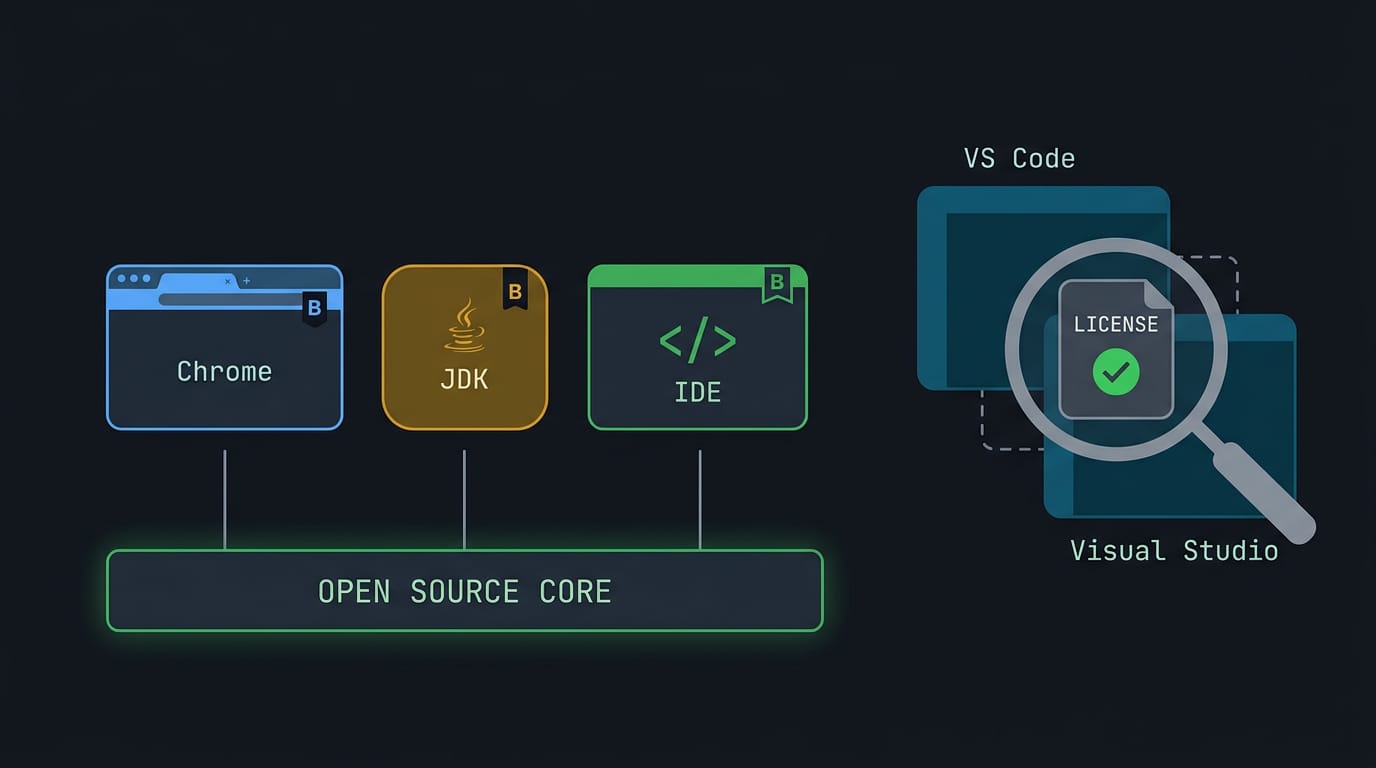
Plenty of similar products split theirs the same way:
- Chrome and Chromium. Google Chrome is built from Chromium, the open-source project beneath it.
- Oracle JDK and OpenJDK. Oracle’s Java Development Kit (JDK) is built from OpenJDK, its open-source version.
- JetBrains and IntelliJ. JetBrains builds its integrated development environments (IDEs) on the IntelliJ platform.
VS Code follows the same pattern, but its name blurs the line with Visual Studio, a separate Microsoft product. Check the license, not just the name.
What Goes into Microsoft’s Official Build
Microsoft’s binary starts from the same source and adds a few things at build time. Knowing what those additions are helps you decide which build belongs on your machine.
Cloning the repo and tweaking product.json
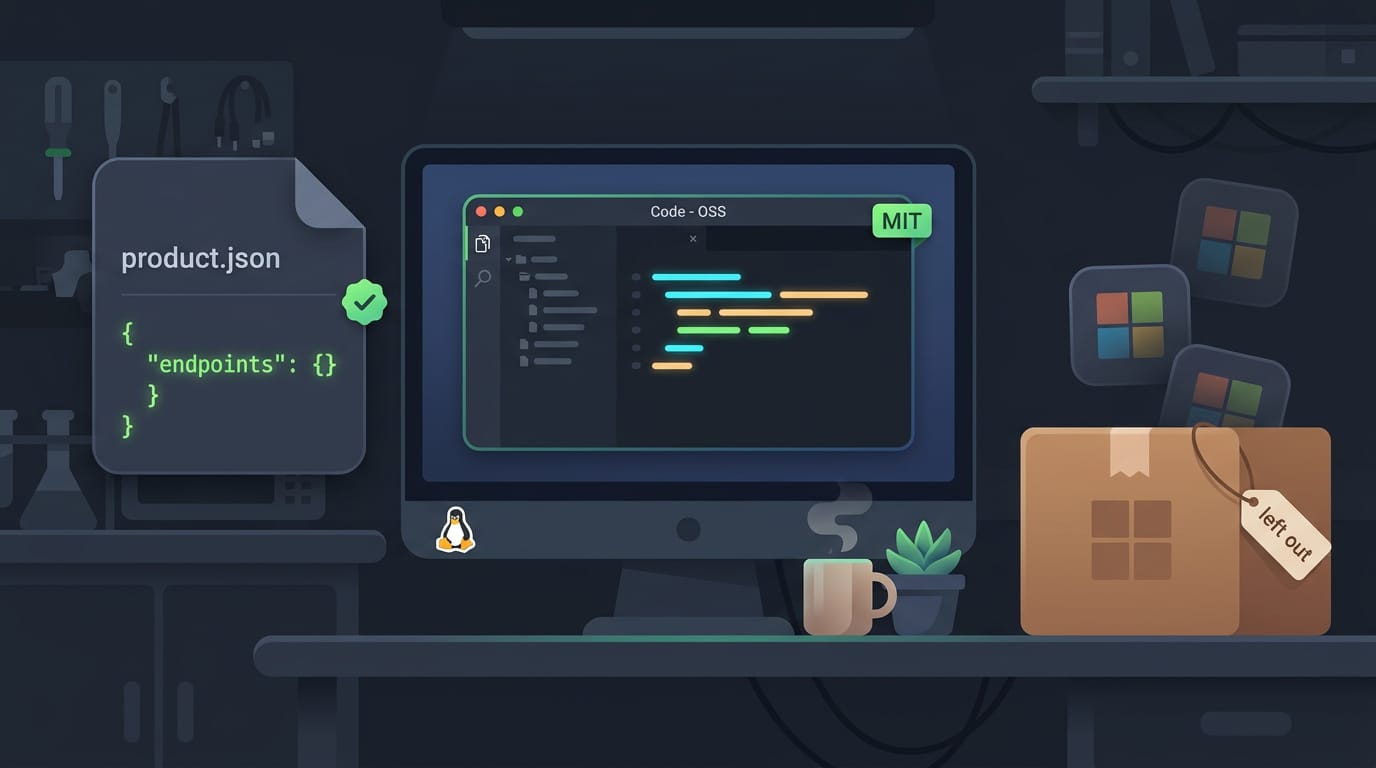
Everything begins with a clone of the vscode repository. Before packaging, Microsoft applies a custom product.json, the config file for build-specific settings like endpoints and branding.
It adds telemetry (usage reporting), a gallery (the extension marketplace), and branding. The result ships under Microsoft’s license, not the MIT license that covers the source.
Build a clean MIT-licensed version yourself
The repo’s default product.json has no endpoints, so a build that leaves it alone skips Microsoft’s additions. That’s a clean build without Microsoft customizations, and it stays MIT-licensed by default.
Some distros package this build as Code - OSS, so check your repos first.
Say you’re setting up a shared lab machine on Linux and want an editor with nothing extra baked in. Building the open version gives you exactly that, with none of Microsoft’s additions in the mix. Less baggage, same code.
Why telemetry and data collection worry people
According to the license for Visual Studio Code, you may opt out of many of these data collection scenarios, but not all, so you can’t fully opt out in Microsoft’s official build.
Collected data also isn’t fully transparent, which makes it hard to see exactly what leaves your machine. Whether that’s acceptable is a personal call, not a technical one.
Picture a developer who codes for clients on a shared Linux workstation. If that data collection sits wrong with them, a clean build gets them a working editor by lunchtime.
Open-source Editors to Try Instead
Wondering whether Visual Studio or VS Code is better? There’s no universal winner, since the right pick depends on your project. If open source is your priority, try these instead.
How is VSCodium different from VS Code?
VSCodium is a community build of the VS Code sources, stripped of Microsoft’s branding and licensing. The key difference is who ships the binary and what comes with it. Microsoft’s build isn’t MIT-licensed, while VSCodium’s binary is.
According to the VSCodium project on GitHub, telemetry is disabled in the resulting binary.
VSCodium supports many package managers, so you can install it via:
- Flatpak
- the AUR
- your distro’s repos
Consider an Arch user who wants a clean editor for their dotfiles: they grab it from the AUR and skip hunting for telemetry settings. Other VS Code forks like Cursor and Code - OSS are out there, so check what each one changes.
Building your own IDE with Eclipse Theia
Eclipse Theia is an IDE platform, not a ready-made IDE. It’s less about using an editor and more about building one, and it supports both cloud and desktop setups. Its modular architecture lets you assemble just the pieces you need.
Eclipse Theia’s listing confirms it’s licensed under the Eclipse Public License 2.0 (EPL-2.0).
The Theia Blueprint desktop build is still in beta, but it offers a VS Code-like UI to start from. Consider a Linux developer whose team wants a VS Code feel without Microsoft’s build.
They begin with that familiar layout and keep only the modules the team actually uses. Familiar on the outside, yours underneath.
Getting Extensions in Open-source Editors
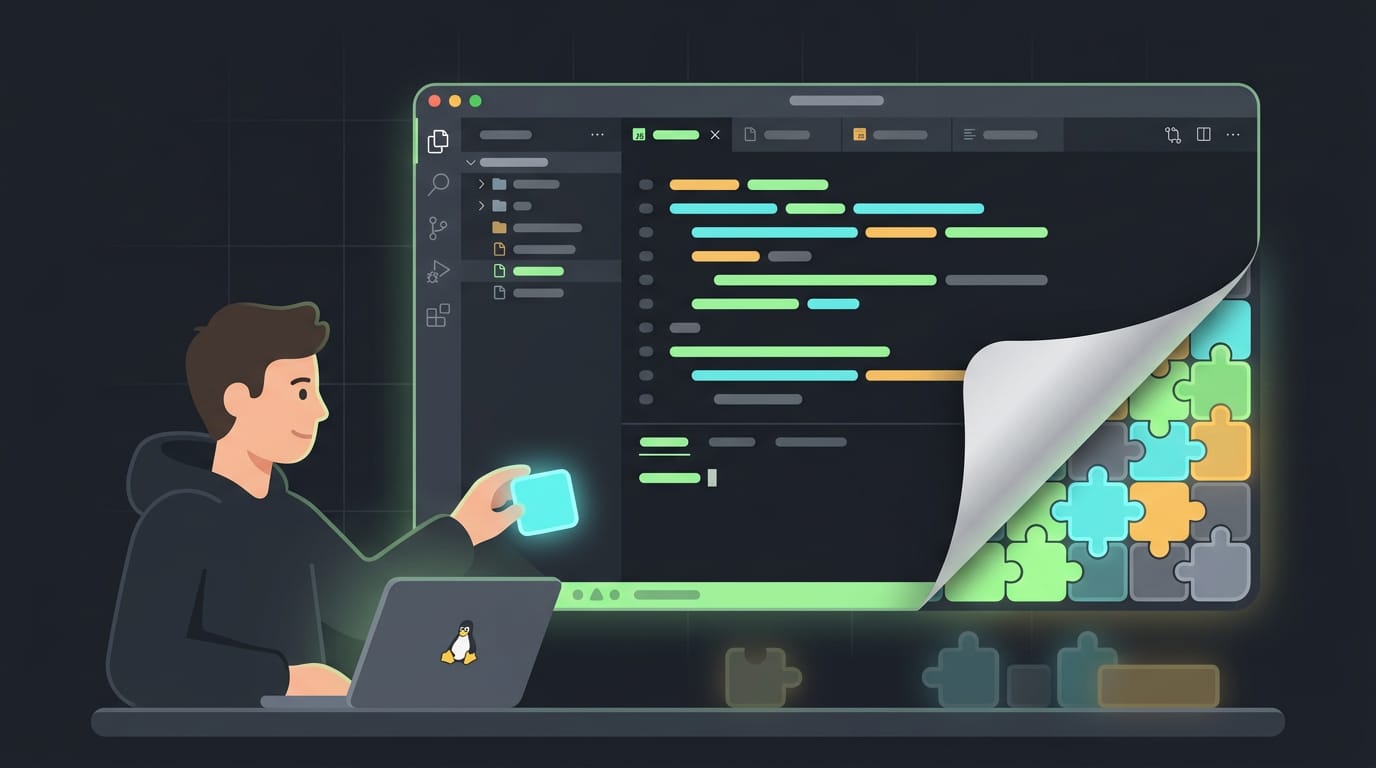
Extensions are where open-source editors feel most different from Microsoft’s build. Knowing where each one comes from saves you a lot of head-scratching, so here’s what we’ll cover.
Open VSX replaces the Microsoft marketplace
Forks don’t get access to Microsoft’s marketplace, so the store you’re used to simply isn’t there. The replacement is Open VSX, a separate registry of extensions.
According to a research paper on malicious VS Code extensions, some open-source editors based on VS Code use Open VSX instead of Microsoft’s marketplace, and extension availability depends on the publisher.
The question isn’t whether an extension exists but where it’s published. If its publisher hasn’t listed it on Open VSX, it simply won’t appear there.
The good news is that themes are available on Open VSX, so you can still chase the color scheme that matches your wallpaper. Consider a Debian user who just installed a fork and wants a dark theme that matches the palette in their waybar.
A quick search turns it up, and the whole job takes a minute. Their linter, though, isn’t listed there, so they need another route.
Install downloaded .vsix extensions by hand
When an extension isn’t on Open VSX, you can still install it by hand. Download the .vsix file (a packaged extension) from the official marketplace, then install it manually into your editor.
In the Extensions panel, choose the option to install from a VSIX file, or run code --install-extension followed by the file’s path in a terminal.
One catch: proprietary extensions are blocked in forks. Before you spend an evening on a workaround, confirm whether the one you need is proprietary. Check first.
Put simply, VS Code’s source is open under the MIT license, while Microsoft’s shipped binary carries its own terms. Knowing that lets you choose the build that fits, whether that’s Microsoft’s, VSCodium, or your distro’s package.
Your editor should work for you, and it’s easier to trust when you know where it came from. Verify what you’ve got, understand the extension situation, and choose with confidence. Know what’s in the box, then make it yours.
References
- Confirmation regarding commercial use of Visual Studio … — learn.microsoft.com (2025)
- VSMEx: A Collection Tool and a Dataset ofMalicious VS Code Extensions — dl.acm.org
- Eclipse Theia — appimage-sig.github.io (2026)
- Who Owns VS Code: Open Source vs. Proprietary — legalclarity.org (2026)
- Clarification and/or grant regarding patents · Issue #63875 — github.com
- License — code.visualstudio.com
- GitHub - VSCodium/vscodium: binary releases of VS Code without MS branding/telemetry/licensing — github.com
Questions
What is better, Visual Studio or VS Code?
Neither is universally better. Visual Studio is a full-featured IDE suited to larger projects and particular Microsoft development workflows, while VS Code is a lighter, extensible editor that works across many languages and platforms; the best choice depends on your project and preferences.
What are the key differences between VS Code and VSCodium?
VS Code is Microsoft's branded build, distributed under Microsoft's license and including its branding, telemetry, and access to Microsoft's extension marketplace. VSCodium is a community-built version of the VS Code source without Microsoft's branding or proprietary licensing, and its telemetry is disabled; it generally uses the Open VSX extension registry instead.
How to open code in Visual Studio Code?
You can open code in VS Code by launching the app and choosing File > Open File or File > Open Folder. You can also open a project from a terminal with `code path/to/file` or `code path/to/folder`, if the `code` command is available.
Is VS Code developed by Microsoft?
Yes. Microsoft develops VS Code, whose source code is available under the MIT License. The official downloadable binary has Microsoft's separate proprietary license and includes Microsoft-specific additions.
Can VS Code run Python?
Yes. VS Code can run Python code when Python is installed on your system; installing Microsoft's Python extension adds features such as code completion, debugging, and interpreter selection.
Is Git included in VS Code?
Git is not built into VS Code as a version-control system, so you need to install Git separately. VS Code includes Git integration and can use an installed Git command-line tool to manage repositories.
Sources
- Clarification and/or grant regarding patents · Issue #63875 · microsoft/vscode, github.com
- Confirmation regarding commercial use of Visual Studio ..., learn.microsoft.com,
- Who Owns VS Code: Open Source vs. Proprietary - LegalClarity, legalclarity.org,
- License - Visual Studio Code, code.visualstudio.com
- GitHub - VSCodium/vscodium: binary releases of VS Code without MS branding/telemetry/licensing · GitHub, github.com
- Eclipse Theia, appimage-sig.github.io,
- VSMEx: A Collection Tool and a Dataset ofMalicious VS Code Extensions, dl.acm.org
Read next.
VLC Media Player Install Guide for Ubuntu
Install VLC media player on Ubuntu with APT, Snap, Software, or a PPA, then verify the setup and add codecs to play videos that would not open.
How to Run GitHub Code, Explained From Clone to Launch
How to run GitHub code online or locally with VS Code or a terminal, then prepare your repo so others can launch it without guessing setup steps.
Vscode Install Guide for Windows, macOS, and Linux
VS Code install takes minutes; choose the right method for Windows, macOS, or Linux, verify your first launch, then add extensions and source control.