How to install Nerd Fonts on Linux (and fix the boxes)
Pick the right Nerd Font variant, install it from packages or by hand, check it with fc-list, set its exact name in your apps and fix icons that show as boxes.
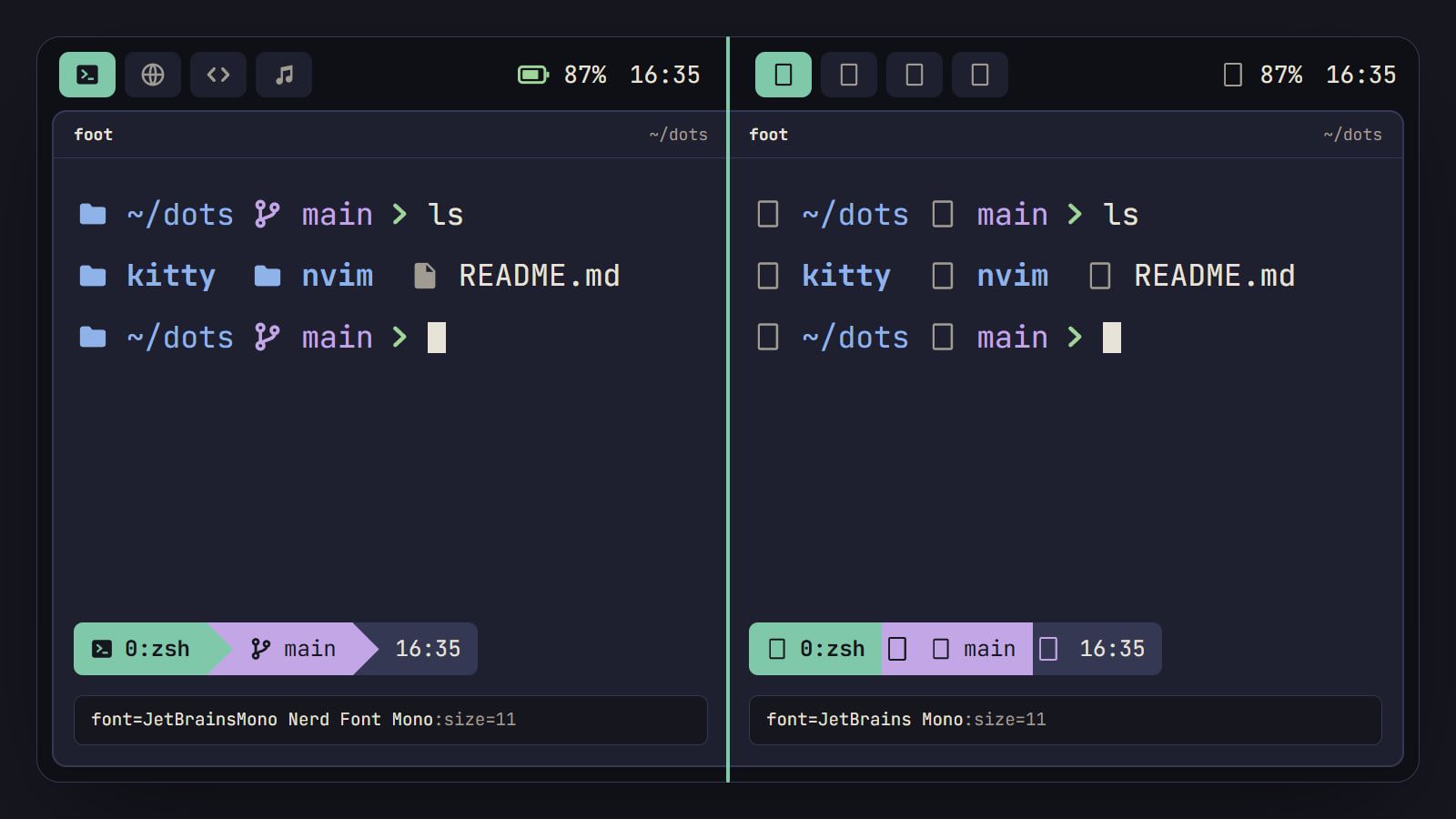
tl;dr the short answer
Install the font from your distro’s packages, or unpack the release archive into ~/.local/share/fonts and run fc-cache -f, then set the family name exactly as fc-list prints it, such as JetBrainsMono Nerd Font Mono for a terminal. Boxes usually mean a name that doesn’t match, a stale font cache or icons that moved in Nerd Fonts 3, and fc-match shows which font an app really gets.
The short version: install the font from your distro’s packages if it has them (on Arch, sudo pacman -S ttf-jetbrains-mono-nerd), or unpack the release archive into ~/.local/share/fonts and run fc-cache -f. Then copy the family name exactly as fc-list prints it into each app’s config, JetBrainsMono Nerd Font Mono for a terminal. If icons still show as boxes, it’s usually one of three things: a name that doesn’t match, a stale font cache, or a config that uses icons Nerd Fonts moved in version 3. This guide uses JetBrains Mono as the example and was written against Nerd Fonts 3.5.1; every other font in the set works the same way under its own name.
Pick a font and a variant
Nerd Fonts takes about 70 programming fonts and adds more than 10,000 icons to each: the folder, git branch and battery symbols your bar, prompt and file manager draw. Browse them on the Nerd Fonts downloads page, which links a preview for most of them. If you don’t have a favorite yet, JetBrains Mono, Iosevka and Monaspace are in the fonts section of our Toolkit.
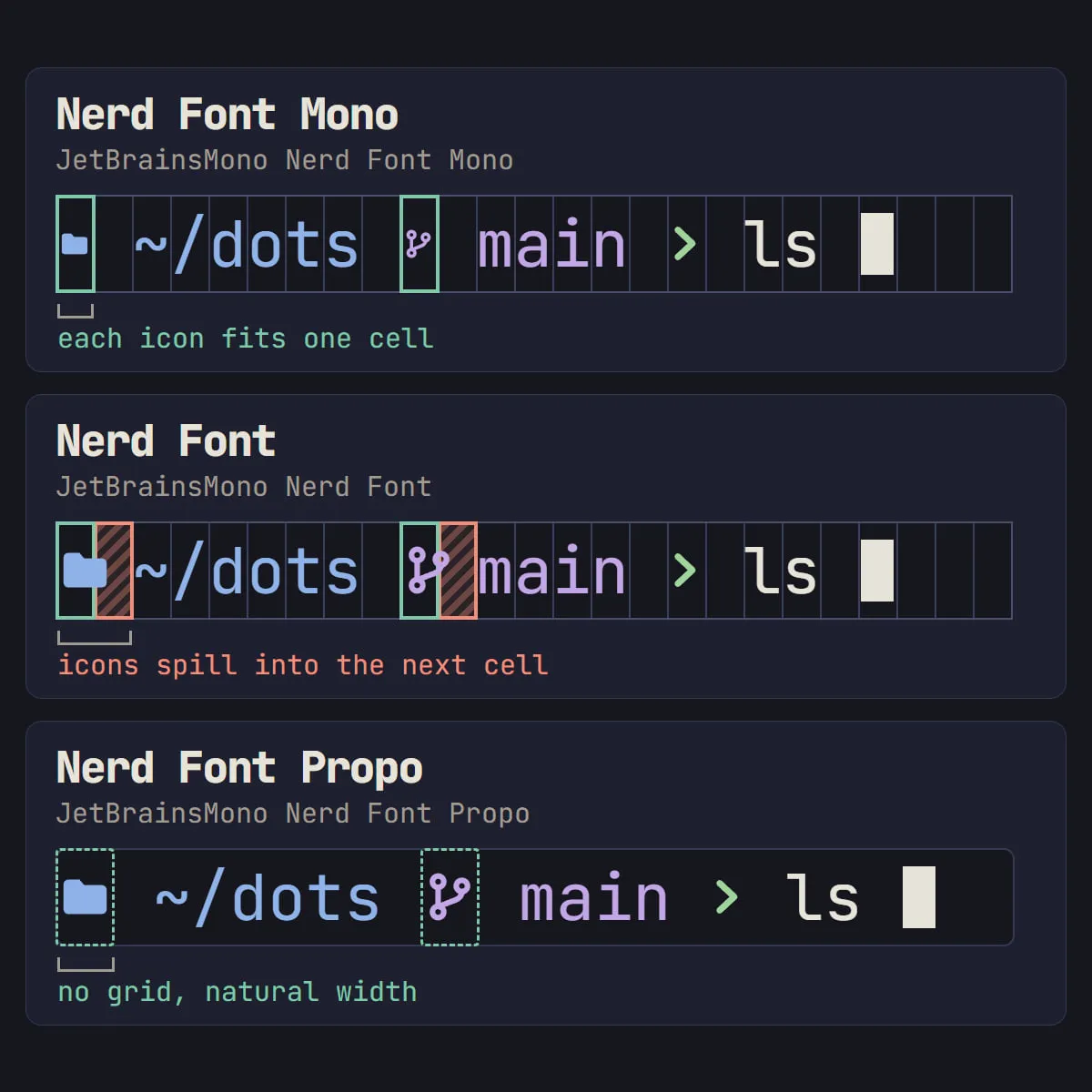
Every patched font then comes in three variants, and picking the right one for each app saves most of the fiddling later:
| Variant | Family name for JetBrains Mono | Icon width | Use it for |
|---|---|---|---|
| Nerd Font Mono (NFM) | JetBrainsMono Nerd Font Mono |
One cell | Terminals and anything on a strict grid |
| Nerd Font (NF) | JetBrainsMono Nerd Font |
About 1.5 letters | Terminals, if you want bigger icons |
| Nerd Font Propo (NFP) | JetBrainsMono Nerd Font Propo |
Natural width | Bars, launchers and notifications |
Two details catch people out. The patched family is JetBrainsMono with no space, where the original font is JetBrains Mono. And each variant also comes in an NL build (JetBrainsMonoNL Nerd Font Mono and so on) without ligatures, if you’d rather see != than a joined symbol.
Install it from your distro’s packages
A package updates with the rest of your system, so use one where it exists:
| Distro | Patched JetBrains Mono | Symbols-only font |
|---|---|---|
| Arch | ttf-jetbrains-mono-nerd |
ttf-nerd-fonts-symbols, ttf-nerd-fonts-symbols-mono |
| NixOS | nerd-fonts.jetbrains-mono |
nerd-fonts.symbols-only |
| Debian testing, Ubuntu 26.10 | none | fonts-nerd-symbols |
| Fedora | none | none |
On Arch that’s sudo pacman -S ttf-jetbrains-mono-nerd, and the nerd-fonts group installs every patched family at once. On NixOS, add pkgs.nerd-fonts.jetbrains-mono to fonts.packages in your configuration and rebuild. Fedora’s one exception is Cascadia Mono, whose makers ship a version with the icons built in: cascadia-mono-nf-fonts. Everywhere else, install by hand.
Install it by hand
Every release has an archive per font. These steps put JetBrains Mono in your home folder, for your user only:
- Make a folder for it and download the archive:
mkdir -p ~/.local/share/fonts/JetBrainsMonoNerd cd ~/.local/share/fonts/JetBrainsMonoNerd curl -fLO https://github.com/ryanoasis/nerd-fonts/releases/latest/download/JetBrainsMono.tar.xz - Unpack it and delete the archive:
tar -xf JetBrainsMono.tar.xz && rm JetBrainsMono.tar.xz - Rebuild the font cache with
fc-cache -f. - Quit and reopen the apps that should use it, since most read their fonts at launch.
The archive holds 96 font files: the three variants, with and without ligatures, in sixteen styles each. Keeping them all is harmless; if you only want the Mono files, delete the rest before step 3. To install for every user on the machine, put the folder under /usr/local/share/fonts instead, with sudo.
Check that it’s installed
Ask fontconfig, which most Linux apps use to find their fonts:
fc-list : family | grep -i "nerd font" | sort -uAmong the lines you should see JetBrainsMono Nerd Font Mono,JetBrainsMono NFM. Each family carries two names, a full one and a short one. Either works in a config, and the full one is easier to read. Then test the exact name you plan to use:
fc-match "JetBrainsMono Nerd Font Mono"It should print a JetBrainsMonoNerdFontMono file. If it prints DejaVu Sans Mono or some other font, fontconfig didn’t recognize the name and quietly picked a substitute, which is exactly what your app will do too. The fc-list manual page has the other patterns you can filter by.
Set it in your terminal, bar and editor
Use the Mono family in terminals and the Propo family in the bar. Each line goes in the app’s own config file.
kitty, in ~/.config/kitty/kitty.conf:
font_family JetBrainsMono Nerd Font Mono
font_size 11.0
kitty also has a Nerd Font built in and uses it for any icon your font lacks, so the plain JetBrains Mono shows icons in kitty too. kitten choose-fonts lists every font kitty can see, with a preview.
foot, in ~/.config/foot/foot.ini:
[main]
font=JetBrainsMono Nerd Font Mono:size=11Alacritty, in ~/.config/alacritty/alacritty.toml:
[font]
normal = { family = "JetBrainsMono Nerd Font Mono", style = "Regular" }
size = 11.0Waybar, in ~/.config/waybar/style.css:
* {
  font-family: "JetBrainsMono Nerd Font Propo", sans-serif;
  font-size: 13px;
}
Neovim in a terminal draws with the terminal’s font, so there’s nothing to set; the icons in file trees and statuslines come from plugins that expect a Nerd Font. A GUI such as Neovide takes vim.o.guifont = "JetBrainsMono Nerd Font Mono:h11", and VS Code takes the same family name in editor.fontFamily and terminal.integrated.fontFamily.
Then open a new terminal and print four icons, a powerline arrow, a git branch, a terminal and a folder:
printf ' \U000f024b\n'Four icons and no boxes means the terminal side is done. If you’re still choosing a terminal, our comparison of terminal emulators for Linux sets kitty, Ghostty, foot, Alacritty and WezTerm side by side.
Add the symbols-only font to any font
You don’t have to use a patched font at all. Nerd Fonts also ships the icons on their own, as Symbols Nerd Font and Symbols Nerd Font Mono, to sit behind a font you already like, including a paid one you can’t patch. The project’s README is frank that the scaling and placement of fallback icons “can be hit or miss”, so if they look off, go back to the patched font.
- Install it from the table above, or unpack
NerdFontsSymbolsOnly.tar.xzfrom the same release the way you did JetBrains Mono. - Tell fontconfig to fall back to it. The archive includes
10-nerd-font-symbols.conf, which does this for dozens of common programming fonts:
Arch’s package puts the file inmkdir -p ~/.config/fontconfig/conf.d cp 10-nerd-font-symbols.conf ~/.config/fontconfig/conf.d/ fc-cache -f/usr/share/fontconfig/conf.avail/without turning it on, so link it into the same folder withln -s. On Debian and Ubuntu,fonts-nerd-symbolssets up the aliases for you. - If your font isn’t in that file, give it an alias of its own in
~/.config/fontconfig/conf.d/11-symbols.conf:<?xml version="1.0"?> <!DOCTYPE fontconfig SYSTEM "fonts.dtd"> <fontconfig> <alias> <family>Your Font Name</family> <prefer><family>Symbols Nerd Font</family></prefer> </alias> </fontconfig>
That covers Alacritty, Waybar and most other apps that find fonts through fontconfig. foot takes the fallback right in its config, font=JetBrains Mono:size=11, Symbols Nerd Font Mono:size=11, and kitty needs nothing, since the symbols are already built in.
When icons show as boxes or the wrong glyph
Work down this list; the first two cover most cases.
- Boxes in every app. The name in the config doesn’t match an installed font. Run
fc-matchwith the exact name from your config, fix any typo (watch the space inJetBrainsMono), runfc-cache -fand restart the app. - Fine in the terminal, boxes in the bar. Each app has its own font setting, and the bar uses a default until you set one. Set
font-familyin Waybar’sstyle.css, and check the launcher and notification daemon for a font setting of their own. - A Chinese character or the wrong icon. Your config or a plugin uses a Material Design icon from before Nerd Fonts 3.0. That release dropped the old
nf-mdi-*icons in theF500range, some of which sat on top of Asian characters, and moved them tonf-md-*fromF0001up. Search the Nerd Fonts cheat sheet for the icon’s name without its prefix: it still shows the removednf-mdi-*icons, and the same search finds thenf-md-*icon that replaced yours, if there is one. Paste in the new one, or update the plugin that uses it. - A new icon shows as a box. The plugin is newer than your font: nvim-web-devicons, for one, asks for Nerd Fonts 3.3 or later. Update the font from your package manager or the latest release.
- A name that used to work stopped matching. Family names have changed between releases before: 3.1.0 renamed some fonts, and 3.1.1 undid it a few days later. Copy the name again from
fc-list. - Icons overlap the next letter, or look tiny. That’s the variant. Nerd Font icons are wider than a cell and need a space after them; Mono icons fit one cell and come out small. Swap variants using the table at the top.
- Boxes over SSH. The font belongs on the computer running your terminal, not on the server, so installing it remotely changes nothing.
Tip: when a config looks right and the icons still don’t show, run
fc-matchwith the exact family string from that config. If it doesn’t name your Nerd Font, the app isn’t getting it either.
With the font sorted, the rest of the look is color. The Generator takes a wallpaper and writes matching theme files for kitty, Alacritty, Waybar, Neovim and more, and the first-rice checklist shows where the font fits in the order of work. There’s more on fonts and palettes in Color & Type.
Questions
What’s the difference between Nerd Font, Nerd Font Mono and Nerd Font Propo?
Nerd Font Mono squeezes every icon into one character cell, which keeps a terminal’s grid tidy but makes the icons small. Nerd Font draws icons about one and a half letters wide, which most terminals handle, though an icon can overlap the next character unless a space follows it. Nerd Font Propo gives icons their natural width for proportional text, such as a bar or a launcher.
Why do my icons show as boxes or question marks?
The app drawing the text isn’t using a font that has the icon. Usually the family name in its config doesn’t match the installed font (check it with fc-match), the font cache needs fc-cache -f, or the config uses Material Design icons that moved in Nerd Fonts 3.0. Over SSH, the font has to be installed on your own computer, where the terminal runs.
Do I need a Nerd Font for Neovim?
Neovim itself doesn’t need one. Plugins that show file-type icons, such as file explorers, statuslines and nvim-web-devicons, expect a Nerd Font, and LazyVim lists one as optional but needed for some icons. Neovim in a terminal draws with the terminal’s font, so that’s where you set it.
Are Nerd Fonts free to use?
Yes. Each patched font keeps the license of the font it was built from, most often the SIL Open Font License, and the Nerd Fonts scripts are MIT-licensed. JetBrains Mono is under OFL 1.1, which lets you use, modify and redistribute it. Some fonts reserve their names, so the patched build gets a new one: Source Code Pro becomes SauceCodePro.
Sources
- Nerd Fonts: iconic font aggregator, collection and patcher, Nerd Fonts on GitHub
- FAQ and Troubleshooting, Nerd Fonts wiki
- Frequently Asked Questions, kitty documentation
- JetBrains Mono: a typeface for developers, JetBrains on GitHub
Read next.
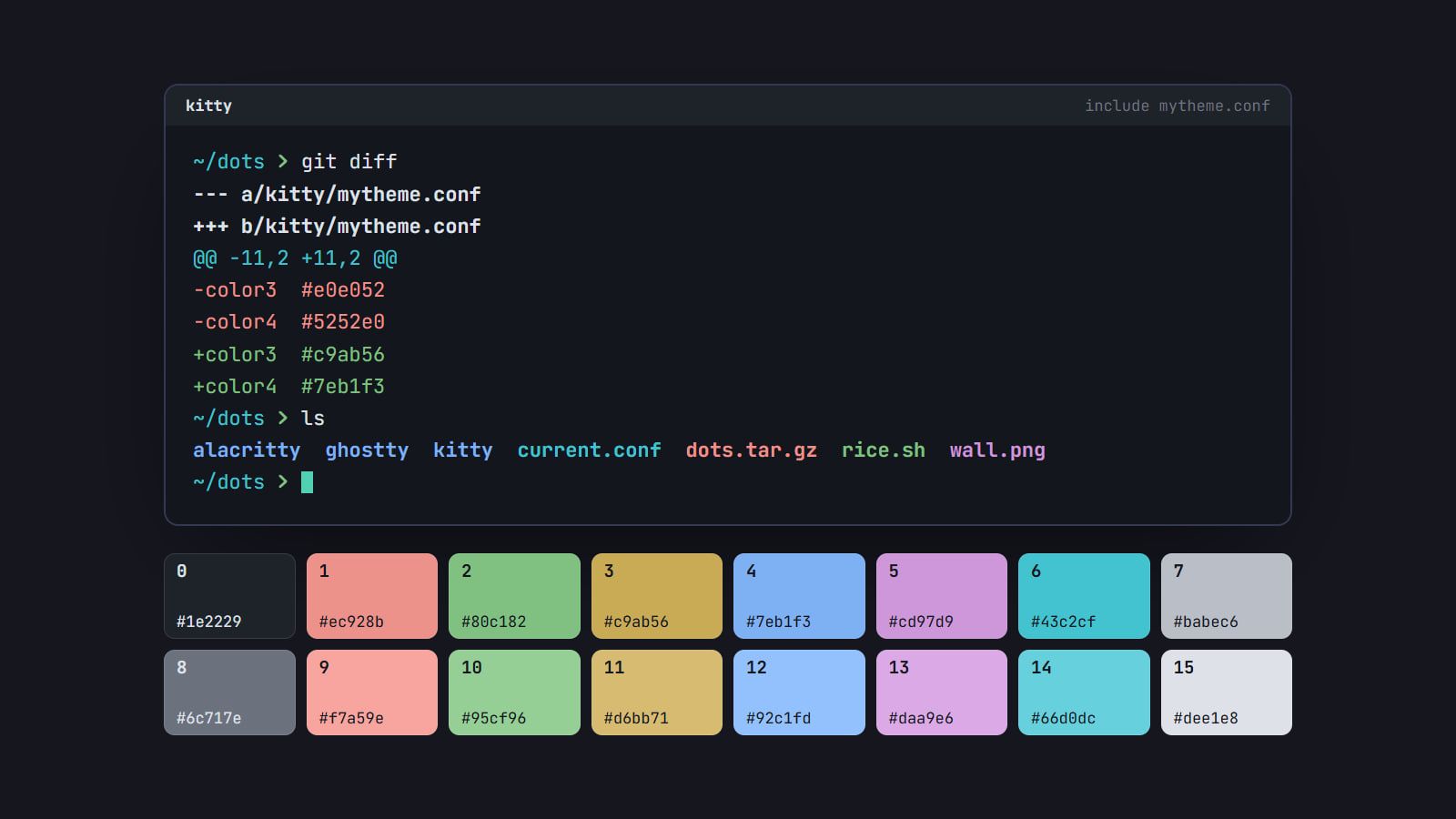
How to make your own terminal color scheme
Build a terminal palette from scratch: a background and text, sixteen ANSI colors evened out in OKLCH and checked for contrast, then loaded and made light too.
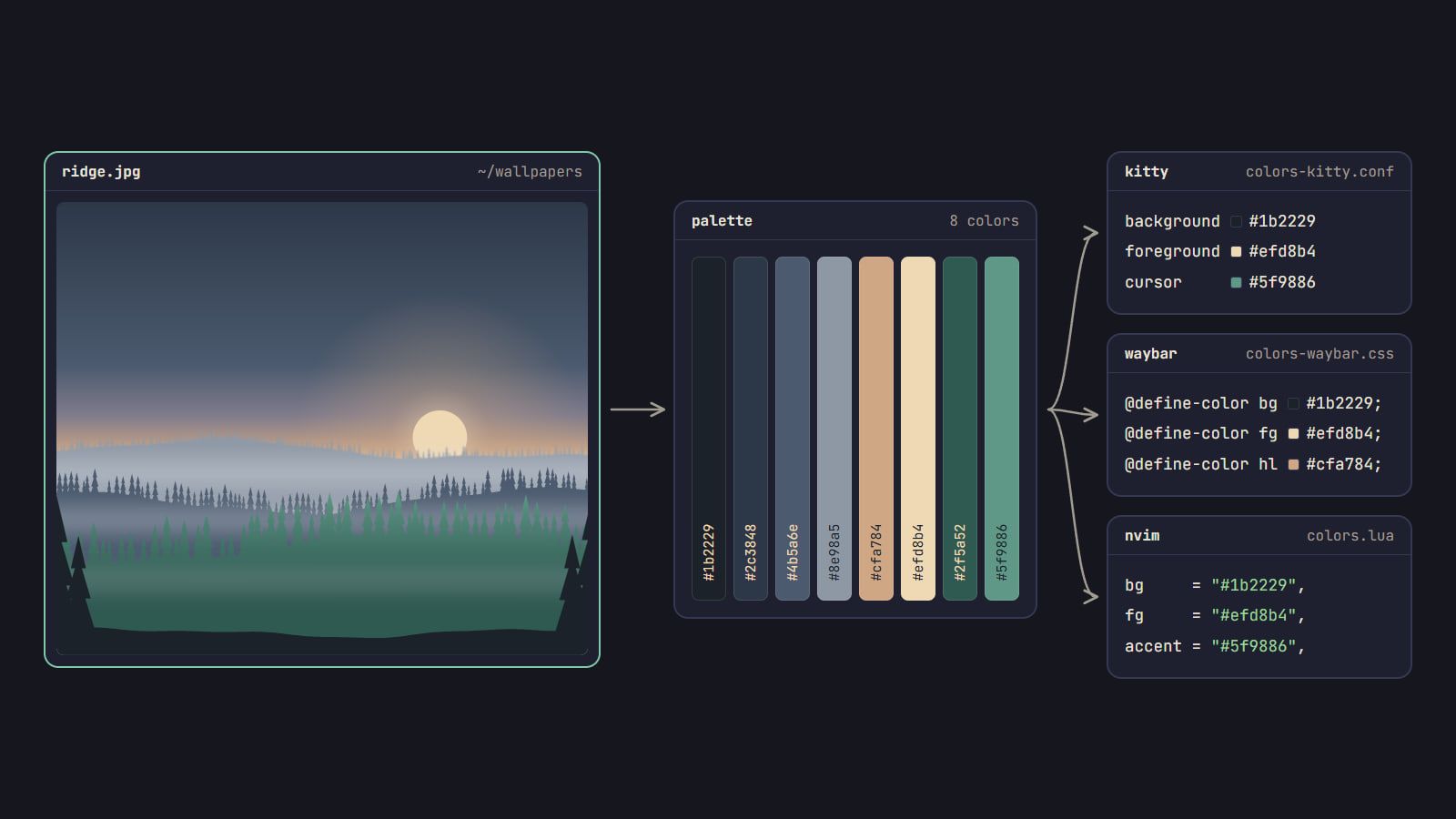
Color scheme from wallpaper: pywal, wallust and matugen
How pywal16, wallust and matugen turn a wallpaper into a color scheme, which fits your rice, how to wire it into your apps, and when a fixed palette is better.