Hyprland vs sway vs niri vs i3: which tiling WM to pick
How Hyprland, sway, niri and i3 tile, how each is configured and reloaded, and what their own docs say about effects and NVIDIA, with a pick for each setup.
tl;dr the short answer
Pick sway for i3’s config on Wayland, Hyprland for animations, blur and a config you can program in Lua, niri for scrolling columns that never squeeze each other, and i3 if you stay on X11. All four are free and set up in a text file; they differ in how they place windows, the config language, the effects and what their docs say about NVIDIA.
At a glance
| Pick | Display server | Tiling | Config | Reload | Where to get it |
|---|---|---|---|---|---|
| Hyprland | Wayland | Dynamic: dwindle, master, scrolling, monocle | Lua, in hyprland.lua (since 0.55) | On save, or hyprctl reload | Visit Hyprland |
| sway | Wayland | Manual: splits, tabs and stacks | i3’s syntax, in sway/config | swaymsg reload | Visit sway |
| niri | Wayland | Scrollable: columns on an endless strip | KDL, in niri/config.kdl | On save | Visit niri |
| i3 | X11 | Manual: splits, tabs and stacks | Plain text, in i3/config | i3-msg reload | Visit i3 |
Pick sway if you want i3’s way of working on Wayland, Hyprland if you want animations, blur and a config you can program, niri if you’d rather scroll along a strip of windows than squeeze them onto one screen, and i3 if you’re staying on X11. All four are free, tile from a plain-text config and leave the bar, launcher and wallpaper to you. This guide compares them on facts from each project’s own docs, as of Hyprland 0.56, sway 1.12, niri 26.04 and i3 4.25. We haven’t benchmarked them, so you won’t find speed or stability claims here.
How each one tiles
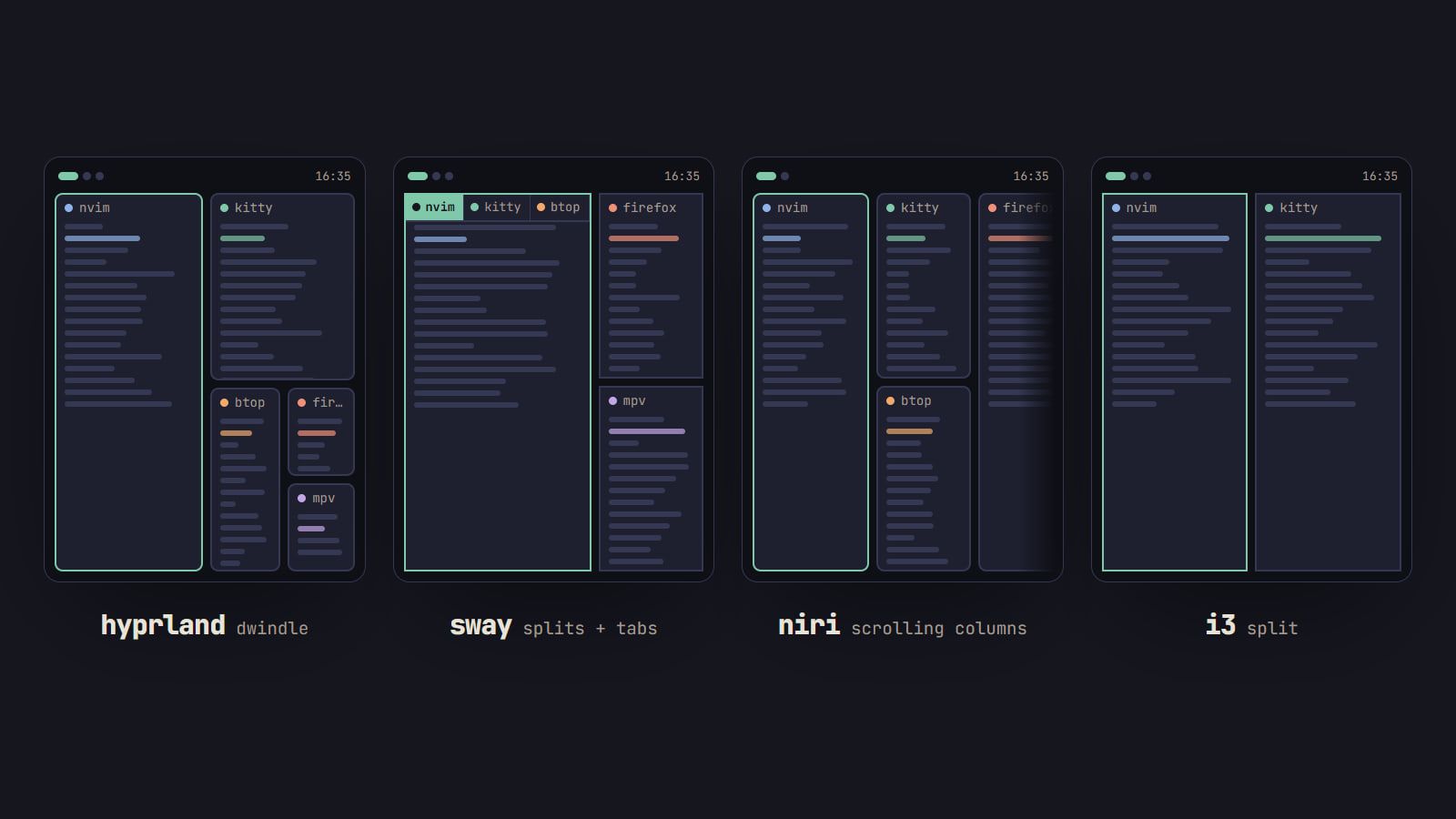
The biggest difference is what happens when you open a window.
- i3 and sway: a tree you shape by hand. Each workspace is a tree of containers. You choose whether the next window splits the space horizontally or vertically, and any container can switch to a tabbed or stacked layout. Nothing moves unless you move it.
- Hyprland: layouts that place windows for you. The default, dwindle, splits the focused window in two each time, like bspwm’s binary tree. Master, scrolling and monocle layouts are built in too, and since 0.54 each workspace or monitor can use its own. 0.55 added a Lua API for writing your own layout.
- niri: columns on an endless strip. Each monitor has a horizontal strip of columns that runs off the screen. A new window adds a column instead of shrinking the others, and you scroll to the one you want. Workspaces stack vertically and are made as you need them, with an empty one always at the bottom.
Side by side
The table at the top covers the basics. This one adds what you run into in the first week.
| Hyprland | sway | niri | i3 | |
|---|---|---|---|---|
| Built-in effects | animations, blur, shadows, rounded corners, glow | gaps and borders | animations, shadows, rounded corners, gradient borders, blur | gaps and borders |
| Reads an i3 config | no | mostly | no | yes |
| Bar | Waybar | swaybar built in, or Waybar | Waybar, started by the default config | i3bar built in, or Polybar |
| X11 apps | Xwayland | Xwayland | xwayland-satellite, started by niri | native |
| Scripting | Lua config, hyprctl, C++ plugins |
IPC through swaymsg |
IPC through niri msg |
IPC through i3-msg |
| NVIDIA | a setup page in its wiki | proprietary driver unsupported | “seems to work fine”, with a memory fix | no notes in its docs |
Hyprland: effects, plugins and a Lua config
Hyprland calls itself a dynamic tiling Wayland compositor “with the looks”, and the looks are built in: animations, blur, shadows, rounded corners and, since 0.55, a glow decoration, all set in the config. It also has window groups, special workspaces you can toggle like a scratchpad, touchpad gestures and an IPC socket for scripts.
The big change of 2026 is the config. Since 0.55 it lives in ~/.config/hypr/hyprland.lua, and the old hyprlang format in hyprland.conf is deprecated. When the project announced the move to Lua, it said hyprlang would keep working for one or two releases from 0.55 and get no new features. Hyprland reads hyprland.conf only when no hyprland.lua exists, and checks only at startup. Most dotfiles and guides online are still in the old format, so check before you copy. Either way, the config reloads the moment you save it.
Plugins add layouts and effects, installed with hyprpm. They’re C++ that runs inside Hyprland, so take the wiki’s advice: install them only from sources you trust, and if Hyprland crashes after an update, disable your plugins first.
Two caveats from its own docs. NVIDIA cards need the setup on the wiki’s NVIDIA page: kernel modesetting turned on and, on 50-series cards, the open kernel modules. And releases rename or remove options; 0.55 removed several. If you theme it with the Generator, its Hyprland tab names the version its file is written for, so check that against yours.
sway: i3’s config on Wayland
sway is a tiling Wayland compositor built as a drop-in replacement for i3: the same tree, the same commands, the same config syntax. An i3 config mostly works as it is. What changes is anything that talked to X11 directly, and sway’s i3 migration guide lists each case:
- Screens are set with
outputlines instead of xrandr. Our guide to multiple monitors in sway works through them. - Keyboards, mice and touchpads go in
inputblocks instead of xset and setxkbmap. - i3bar becomes swaybar, i3lock becomes swaylock and i3-msg becomes swaymsg.
- Fonts are Pango names, not X11 font strings.
- There’s no picom: compositing is built in.
sway has gaps and borders but no blur, shadows or rounded corners; SwayFX, a fork, adds them. To check a config before reloading, run sway -C. On NVIDIA, sway’s wiki says the proprietary driver isn’t officially supported. Until 1.12, sway refused to start on it without --unsupported-gpu; since 1.12 it starts with an informational message instead.
niri: windows on an endless strip
niri is a scrollable-tiling Wayland compositor, and the strip changes how a small screen feels: windows keep the width you gave them, and the ones you aren’t using sit off to the side instead of shrinking. An overview zooms out to show every workspace, and screenshots, window tabs, floating windows and gestures are built in. For looks, it has animations (with custom shaders), rounded corners, shadows, gradient borders and, since 26.04, background blur.
The config is KDL in ~/.config/niri/config.kdl, reloaded live when you save. Since 25.11 you can split it into files with include, and niri validate checks it. The default config binds Super+T to Alacritty and Super+D to fuzzel, and starts Waybar. X11 apps run through xwayland-satellite, which niri starts on its own since 25.08 once it’s installed.
On NVIDIA, the project’s author says niri seems to work fine. niri’s getting-started page also warns of a driver quirk that drives video memory use up, and links the fix. niri doesn’t read i3 configs, so coming from i3 or sway means learning a new layout model and a new file.
i3: still the X11 standard
i3 is a tiling window manager for X11 on Linux and BSD, now at 4.25.1. Its config is a plain-text file at ~/.config/i3/config, which the config wizard writes on first start. The i3 user’s guide is one long page that explains the tree, the layouts and every command, and much of it holds for sway too.
Gaps are built in since 4.22, i3bar with i3status draws the bar, and i3 -C checks the config before you reload. i3 doesn’t draw effects: shadows, transparency and fades come from a separate compositor such as picom. If you’re weighing whether to leave X11 at all, Wayland vs X11 for ricing goes through what changes, tool by tool.
Which one to start with
- You use i3 today: sway, with your config copied over and the migration guide open.
- You want motion and effects, and to script your desktop: Hyprland. Learn the Lua config from the wiki rather than from older dotfiles, and read the release notes before you update.
- You keep many windows open on a laptop screen: niri, so windows keep their size and you scroll to them.
- You’re on X11, or rely on tools that only work there: i3.
- You’ve never tiled before: sway, or i3 on X11. They share one config language that has been documented in depth for years, and most of what you learn carries over to the others.
Whichever you pick, our first-rice checklist takes it from the default config to a finished rice, and the Toolkit lists the bars, launchers and terminals that go with each. Desktops collects the rest of our window manager guides.
Others worth a look
- SwayFX: sway with blur, shadows, rounded corners and dimmed unfocused windows.
- bspwm: X11 tiling on a binary tree, like Hyprland’s dwindle, set up in a shell script that calls
bspc, with keybinds handled by sxhkd. - river: a Wayland compositor that hands window management to a separate program of your choice, started from an
initscript. - AeroSpace: i3-like tiling for macOS, in a plain-text config. It’s in the Toolkit too.
Questions
Is Hyprland good for beginners?
It can be: it writes a starter config on first launch, and its wiki has a master tutorial. But its config moved to Lua in 0.55, most tutorials and dotfiles online still use the old format, and releases rename or remove options, so expect to read release notes before you update. If you would rather learn on a config language that has stayed the same for years, start with sway or i3.
Can I use my i3 config in sway?
Mostly, yes: sway is built as a drop-in replacement for i3 and reads the same config. Display setup moves from xrandr to output lines, keyboard and mouse settings into input blocks, i3bar becomes swaybar, and X11 font strings become Pango font names. sway’s i3 migration guide lists each change.
Do tiling window managers work with NVIDIA?
Hyprland’s wiki says it should run fine once you follow its NVIDIA page, and niri’s docs say it seems to work fine, with a fix for a driver quirk that raises video memory use. sway’s wiki says the proprietary driver is not officially supported; since 1.12, sway starts on it with a notice instead of refusing. i3 runs on X11 and its docs have no NVIDIA-specific notes.
Can I try a window manager without uninstalling my desktop?
Yes. Install it from your distro’s packages and choose its session on the login screen; your current desktop stays as it was. niri can also open as a window inside your current session for a quick look, though its docs say that mode is meant for development and is a bit buggy.
Sources
- Lua-ification of Hyprland configs, Hyprland,
- sway 1.12 release notes, sway on GitHub
- niri: Getting started, niri documentation
- i3 User’s Guide, i3
Read next.
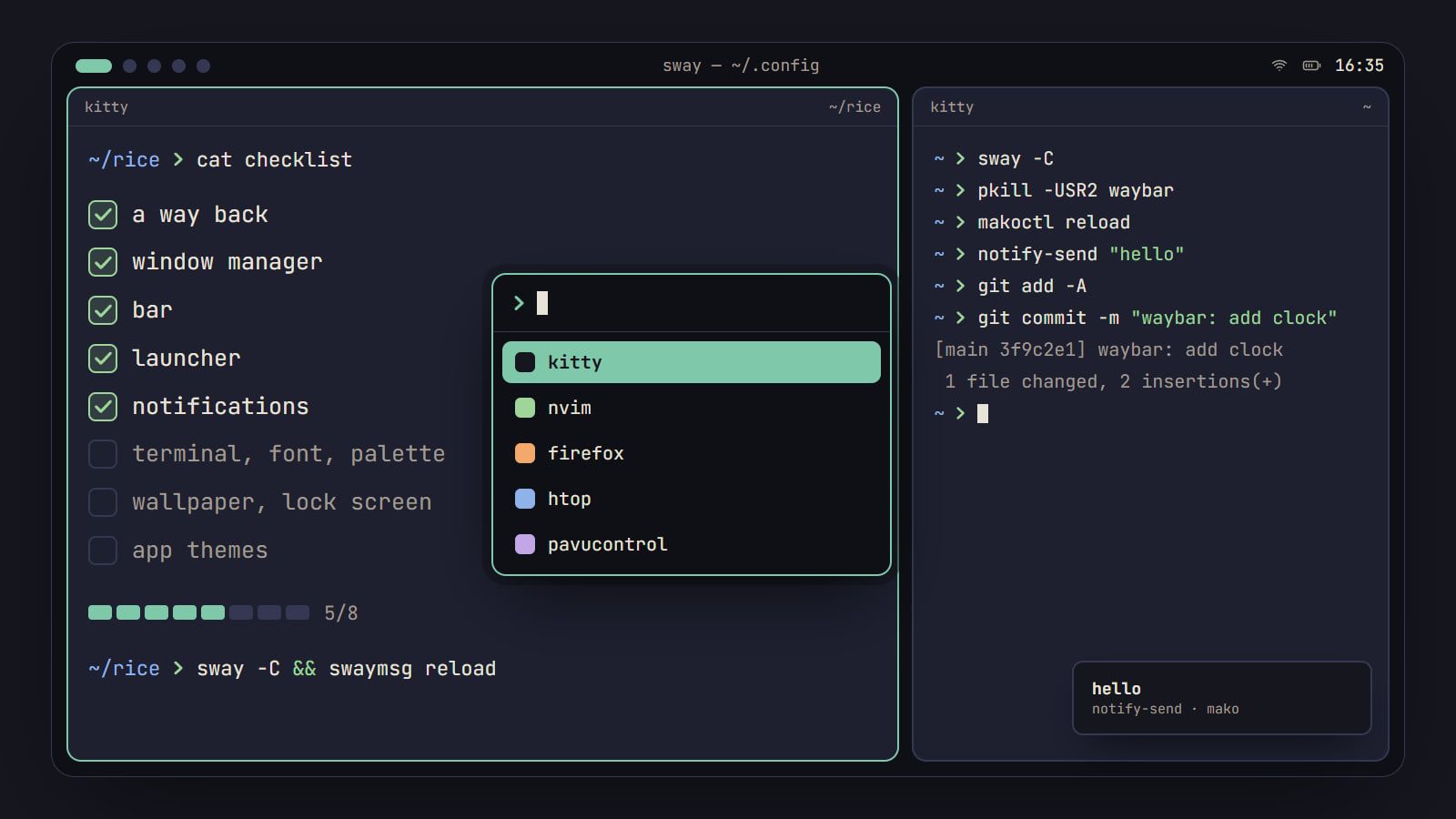
How to rice Linux: a first-rice checklist
The order to rice a Linux desktop without breaking it: a way back first, then each piece from window manager to lock screen, with its config file and a check.
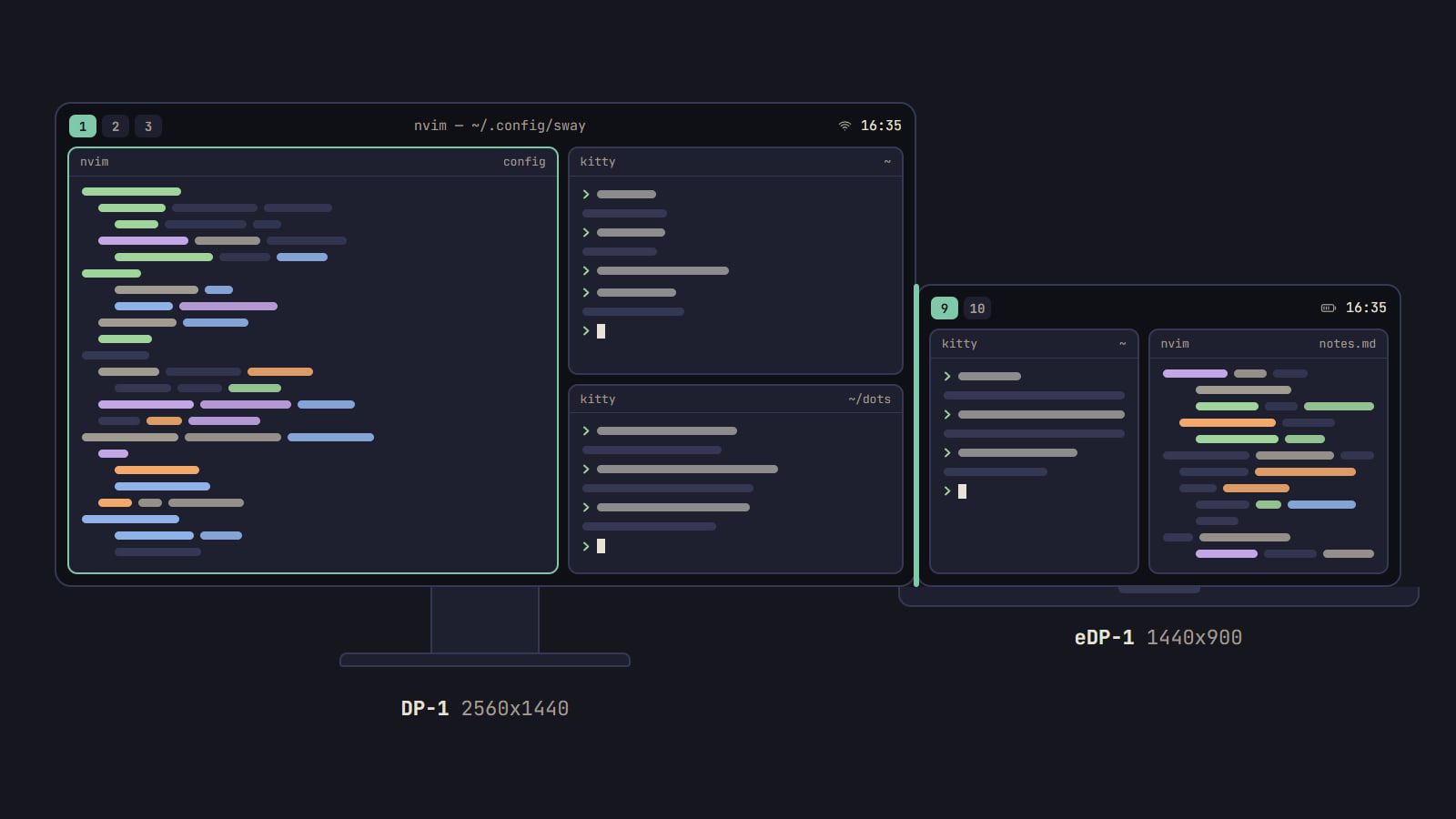
How to set up multiple monitors in sway
Find the name sway gives each screen, place it in logical pixels, pin workspaces to it and let kanshi switch layouts when you dock a laptop.