Ansible File Module: How It Works and Key Options
Ansible file module keeps dotfiles consistent across laptops by managing files, symlinks, and permissions. See states and repeat-safe examples.
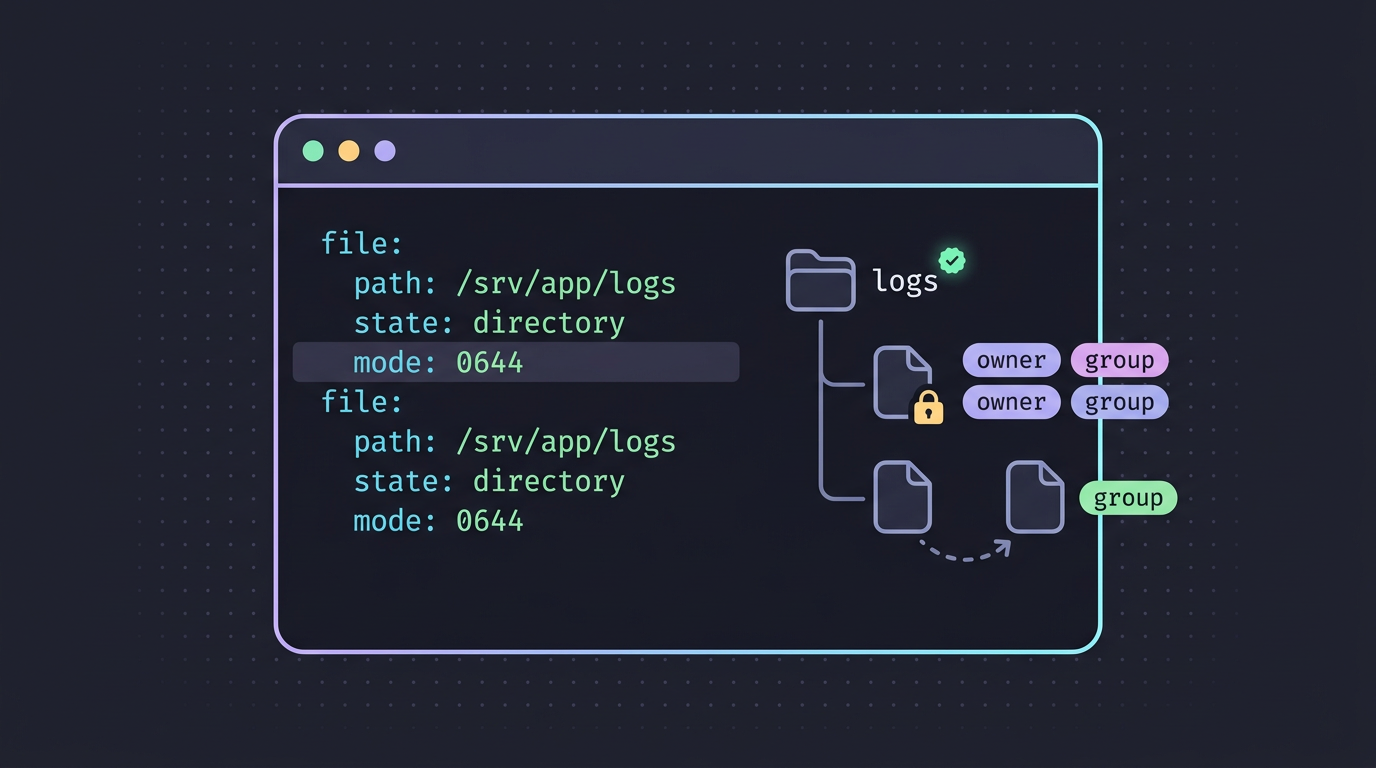
tl;dr the short answer
Ansible’s file module manages paths on remote machines, including regular files, directories, and symbolic links. Specify the desired state and settings such as permissions, owner, and group, and Ansible makes only the changes needed; use copy or template when you need to provide file contents. Because repeat runs are idempotent, the module helps keep dotfiles and system permissions consistent across machines without repeating manual commands.
Picture your dotfiles spread across three laptops, each a little different. You could copy files by hand after every tweak, or describe where each file should live and let a tool handle the rest.
That tool is Ansible, an automation tool, and its file module creates, removes, and adjusts files, directories, and symlinks.
This post covers how the module works, its key parameters and states, and idempotency, the property that means repeat runs change nothing once things are right. Then we’ll apply it to dotfiles, symlinks, and permissions.
Ansible File Module and Other Built-in Modules
So what is Ansible used for? It runs repeatable tasks on your hosts (the machines you manage), like copying files, installing packages, and restarting services. Each task calls a module, the piece that does the actual work.
How modules act on your hosts
Every task names an action, and a module carries it out. Ansible sends a small program to the host, runs it, and collects what it returns. These are usually written in Python and return their results as JSON, so Ansible can read what happened.
Think about what should happen on the host, not how to type each step.
Say you keep your dotfiles in a git repo. A file task can link your shell config into your home directory on every new machine. One task, and a fresh install looks like your old one.
Modules you’ll reach for most often
You’ll see a handful of modules in nearly every playbook:
- file, copy, and template manage files, push config out, and fill in variables.
- yum, dnf, and apt install packages, depending on your distro.
- service, command, cron, and user start services, run commands, schedule jobs, and manage accounts.
- Windows and database modules reach beyond Linux, so the same approach carries over.
Where to look up module docs
Nobody memorizes every parameter, so keep these handy:
- The Ansible documentation website has a page for each module.
- Run
ansible-doc -Lin your terminal to list the modules on your machine. - Automation hub and Galaxy are where you’ll find extra collections of modules beyond the built-ins.
Bookmark these now. You’ll be back.
What the Ansible File Module Does
The file module is the tool Ansible reaches for whenever a remote path needs managing. Here’s what it covers, how it runs on each target, and what it works alongside.
What the module can manage
The file module handles three kinds of path: regular files, directories, and symbolic links (symlinks). It can also set attributes like permissions, owner, and group, or remove a path entirely.
Its core idea is state-based management. You declare what should exist, not the commands to get there. For example, a Linux user who keeps dotfiles in a git repo can declare that ~/.config/nvim is a symlink into that repo.
Run the playbook on a fresh laptop and the link appears. Run it again tomorrow and nothing changes.
How it runs on remote machines
Ansible doesn’t run the module on your control node. It sends the module to the target, passes along your parameters, and reads back the result, so each host gets its own values.
If you set owner or group, that user and group must already exist on the target. Create them first with the user and group modules, or the task fails.
Likewise, check that the path exists before you change its ownership. Register a stat result and gate the task on stat.exists, so a missing path gets skipped instead of failing the run.
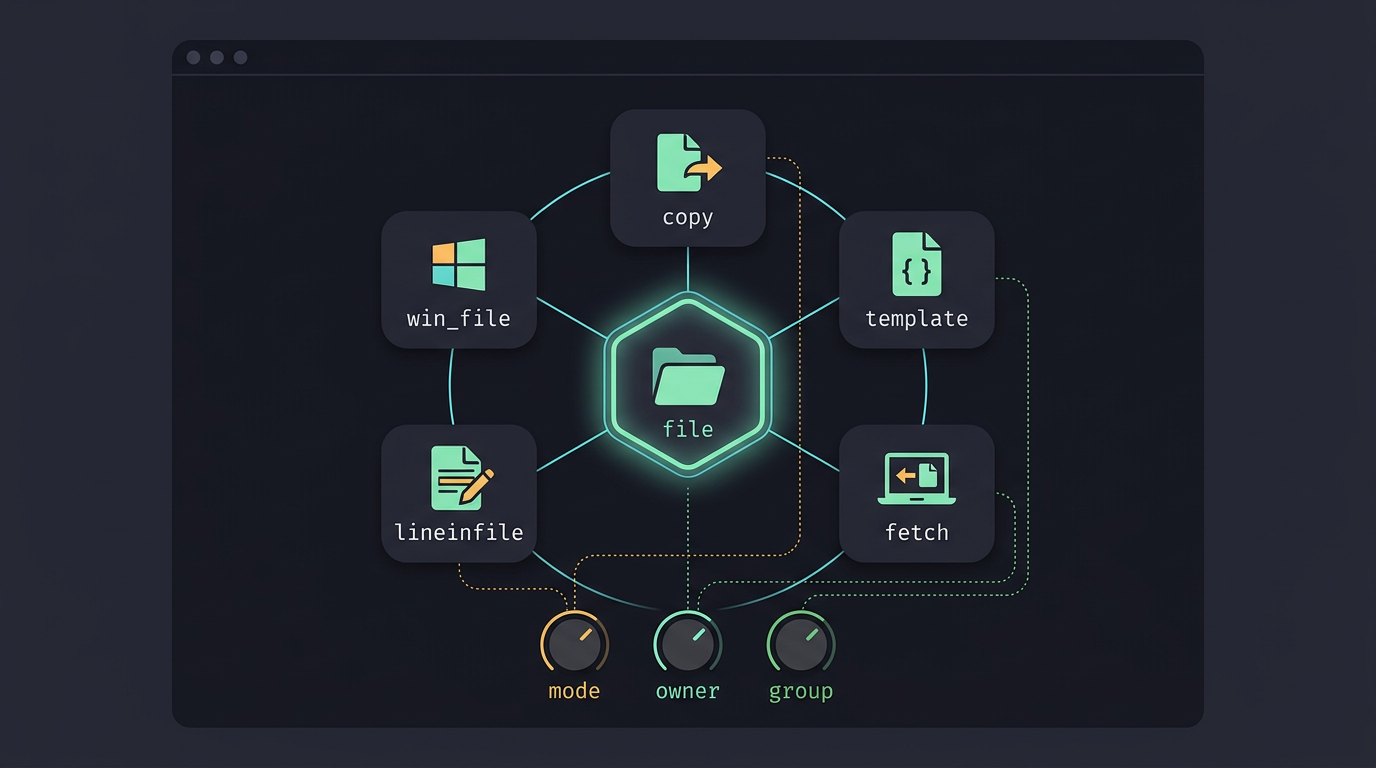
Other modules that work alongside it
- win_file does the same job on Windows targets.
- copy, template, and fetch place content on a target or pull files back, so they often sit beside file tasks.
- lineinfile edits single lines in a file, handy for one setting you don’t want to replace whole.
- Shared options like
mode,owner, andgroupwork the same way in copy, template, and lineinfile, so what you learn here carries over.
Settings You Pass to the Module
The file module works from the end result: you describe the path, and Ansible works out what to change. These are the settings you’ll use most.
Picking the path and state
Every task starts with path, the file or directory you want to manage. Then state tells the module what should exist there:
touchcreates an empty file, or updates its timestamps if the file exists.absentdeletes the path, so double-check it first.directorymakes sure a folder exists.fileexpects a regular file to be there already and leaves its contents alone.hardcreates a hard link.linkcreates a symbolic link (symlink) pointing at a target.
The default state is file, so a task that only sets permissions fails when the file is missing. Reach for file to shape a path, copy to send a file’s contents, and template when those contents need variables filled in first.
Setting owner, group, and permissions
Use owner and group to say who the path belongs to, and mode to say who can read, write, and run it. Write the mode as a quoted four-digit octal, like '0755'. Quote it, every time.
Unquoted, YAML can read the leading zero as a plain number and set permissions you never meant.
You’re describing the result, not the chmod command that gets you there.
Private modes matter most for SSH keys, since OpenSSH complains when other users can read them. Consider a Linux user who rebuilds from a dotfiles repo every few months.
Their playbook locks down ~/.ssh/id_ed25519 on each run, so the key stays private after every fresh install.
Controlling access and modification times
access_time and modification_time set when a path was last read and last changed. By default, Ansible preserves the existing times, while state: touch uses the current time.
The time format parameters control how the values you give are read. Most people never touch these.
Making links and choosing their targets
For state: link, src is the target and path is where the link lives. Picture a Hyprland ricer whose config sits in ~/dotfiles/hypr. Point path at ~/.config/hypr/hyprland.conf and src at the repo copy, and the live config is simply that repo file.
Ansible won’t overwrite a real file at path on its own. Set force: true to replace what’s there, but back up anything you need first. The follow option decides whether Ansible acts on the symlink itself or on the file it points to, so set it on purpose.
Recursion, SELinux labels, and attributes
recurse: true applies your owner, group, and mode to everything inside a directory. The four SELinux settings, selevel, serole, setype, and seuser, set security labels on a path. Skip them unless SELinux is running on your machine.
The attributes setting takes the same flags as chattr, the low-level file attribute tool. For example, +i makes a file immutable, so it can’t be changed or deleted until you remove the flag.
Examples of the File Module in Action
The file module handles everyday Linux housekeeping: directories, permissions, and dotfile links. Each pattern below is short enough that you’ll want to test it in a lab first.
Create a directory
Set state: directory with a path and a quoted mode. Quoting keeps YAML from misreading the mode as a number.
- name: Create a config directory
  ansible.builtin.file:
    path: /etc/myapp
    state: directory
    mode: "0755"
  become: true
become: true runs the task with sudo, which a root-owned spot like /etc needs.
Change permissions and ownership
Set owner, group, and mode in one task, and the module makes all three match. For example:
- name: Lock down a private notes folder
  ansible.builtin.file:
    path: /home/alex/notes
    state: directory
    owner: alex
    group: alex
    mode: "0700"
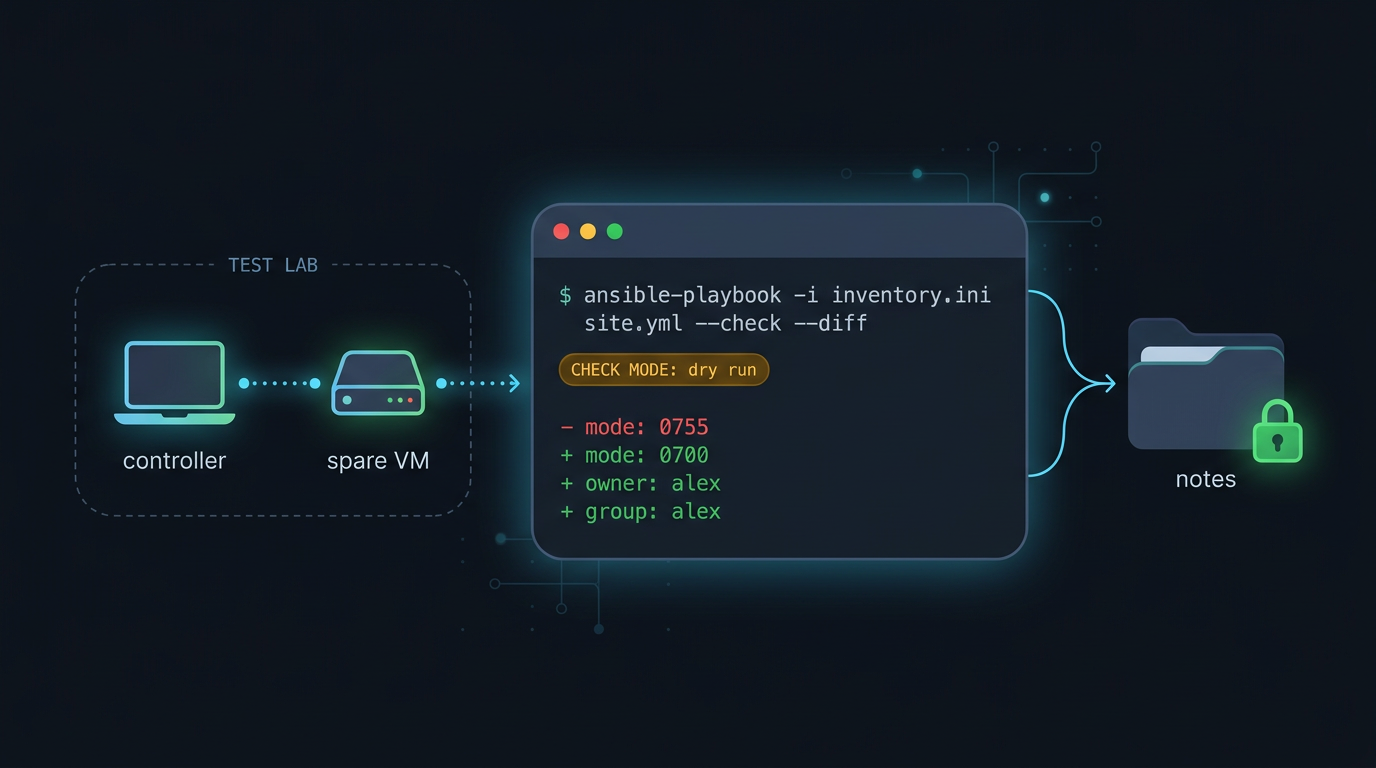
Build a test lab first: a controller with Ansible installed and a spare VM as a host. Run changes there, so a bad mode breaks a throwaway box, not your daily driver.
How do I open Ansible? There’s no app to launch. Run ansible-playbook -i inventory.ini site.yml from a terminal on your controller, where the inventory lists your hosts.
Add --check for a check mode dry run that shows what would change, plus --diff for the exact edits: ansible-playbook -i inventory.ini site.yml --check --diff.
Looping to create several symlinks
Use state: link, a src (the real file), and a path (the link), then loop over your files. Full paths keep each link pointing where you expect.
- name: Symlink dotfiles into home
  ansible.builtin.file:
    src: "/home/alex/dotfiles/{{ item }}"
    path: "/home/alex/{{ item }}"
    state: link
  loop:
    - .bashrc
    - .vimrc
    - .tmux.conf
Wiped a ten-year-old ThinkPad? Rerun this and your shell, editor, and tmux configs return in one pass. Same setup, new machine.
List the results with ls -l /home/alex. Each link starts with an l and shows an arrow pointing to its target.
Checking results with register and debug
Register saves a task’s output into a variable you can read later. Capture the listing before the link tasks run, then again after:
- name: Capture listing before
  ansible.builtin.command: ls -l /home/alex
  register: before
  changed_when: false

- name: Show before
  ansible.builtin.debug:
    var: before.stdout_lines
stdout_lines gives one entry per line, so debug prints a readable list. Repeat the pair with register: after, then compare the two to see what changed.
How a basic playbook is laid out
A playbook is a YAML list of plays. Each play sets hosts (the targets), become (privileges), and tasks (ordered steps). Name each task so the output shows what ran, and indent module parameters beneath the module name.
- hosts: lab_hosts
  become: true
  tasks:
    - name: Create a config directory
      ansible.builtin.file:
        path: /etc/myapp
        state: directory
        mode: "0755"
Keeping Systems in the State You Want
Running a setup once is easy. The real test is running it again after a reinstall.
Why running again gives the same result
Ansible modules are meant to be idempotent, so running the same task again gives the same result as the first run. The focus is on desired state rather than one-time action: you describe how the system should end up, not steps to run once.
That makes automation predictable and reliable. Picture a Linux user with one playbook for their laptop. Whether it’s a fresh install or a week later, the machine ends up matching what they wrote down.
How service and lineinfile skip repeat work
The service module with state: started checks first. A running status bar or sync daemon is left alone rather than restarted on every run.
The lineinfile module works the same way. Say you want export EDITOR=nvim in your .bashrc. The first run adds the line, and later runs see it’s already there and change nothing. No duplicate lines, no surprises.
Managing files by their desired state
Modules work on file state, and the file module follows the same pattern. Declare whether a path should be a directory, a symlink, or absent, and Ansible changes it only when it doesn’t already match.
Say you keep dotfiles in a git repo and want ~/.config/nvim to be a symlink into it.
Rerunning the playbook after a reinstall leaves a correct link alone and fixes it only when it’s missing or wrong, so the setup comes back without anyone remembering the ln commands.
Where Modules Fit in Ansible
Ansible gets things done through modules, small units that each handle one job, like copying a file or setting its permissions. The real question is less about what a module does and more about how and where you call it.
Other parts that work alongside modules
These pieces wrap around modules:
- Tasks and plays. A task calls one module with your settings, and a play pairs machines with the tasks to run on them.
- Playbooks in YAML. A playbook is a file of plays written in YAML, a plain-text format that uses indentation for structure.
- Roles packaging content. A role bundles tasks, templates, files, and variables into a standard folder layout you can reuse.
- Collections and plugins. A collection packages roles, modules, and plugins (add-ons that extend Ansible) into one shareable unit.
Is Ansible still used in 2026? Rather than quoting usage figures, look at the structure: the playbook, role, and collection layers above are what you’ll meet in the projects you’re likely to inherit or join.

Where modules live and get reused
You don’t have to retype modules for every project. Here’s where they live and how they get reused:
- Playbook library directory. A
library/folder beside your playbook holds custom modules you write, so you can call them by name. - Included in roles or collections. Modules ship inside roles and collections, so installing the package brings them along.
- Roles rerun modules each call. Every time a play calls a role, the modules inside run again.
Think of a Linux user who keeps dotfiles in a git repo and wants the same .bashrc symlink on a laptop and a home server. One role holds the file tasks, and each machine calls it. Same files, both machines, one place to fix.
Writing Your Own Modules and Sharing Them
Sooner or later, you’ll want behavior the file module doesn’t offer. Here’s how to write your own, then share it.
Building a module of your own
A module is a Python file. Put it in a library/ directory next to your playbook, and Ansible picks it up when the play runs.
For example, a ricer who keeps dotfiles in git might write one that checks whether each expected symlink in ~/.config points where it should.
Before you trust it, write a short test playbook that calls it with a few inputs, then run it. That catches mistakes before they reach your real machines.
Keep modules concise. Give each one a single job, so a symlink checker doesn’t also rewrite permissions. Small modules are easier to test and to trust.
Define a clear argument interface by listing every argument your module accepts, along with its type, whether it’s required, and its default. Ansible can then validate input before your code runs.
Rather not start from a blank file? The Content Builder tool is worth a look as a starting point. The goal is reuse, not cleverness.
Sharing modules through collections
Modules ship inside a collection, a standard package that bundles them so others can install and use them. Picture a Linux user who packs their symlink module and dotfile tasks into one collection.
When a partner’s new laptop needs the same setup, one install replaces a pile of copied files.
Automation Hub is one place to publish and find collections, and a private hub keeps your internal ones inside your own network. For wider sharing, Ansible Galaxy is the community site where you can publish and download collections.
Start small, then share.
Running Automation When Events Happen
So far you’ve run playbooks by hand. Here we’ll look at how Ansible can react on its own, so the work starts without a command from you.
How rulebooks trigger playbooks and modules
Events trigger automated actions. An event is anything your setup can notice, like a new commit landing in a repo, a file changing, or a monitoring alert firing. Ansible takes each event and checks it against your rules.
Those rules live in a rulebook, a file of if-this-then-that statements:
- If an event matches a condition, such as a push to the
mainbranch, - then run the action you named.
That action can be a full playbook or a single module, like file, when you only need one small change. The work happens when the event fires, not when you remember to run it.
A webhook is a message an outside service sends to a URL whenever something happens. Picture a Linux user who keeps their dotfiles in a git repo.
Each push fires a webhook, the rulebook matches it, and a playbook recreates the symlinks in ~/.config and tightens permissions on ~/.ssh. Ansible running on their desktop does all of that while they keep working. No extra step.
The Ansible file module lets you describe how your files should look and trust that they’ll stay that way.
You’ve seen how parameters and states shape each task, how idempotency keeps repeat runs safe, and how a few lines can manage dotfiles, symlinks, and permissions.
Start small with one dotfile, check the result on a real machine, then grow from there at your own pace. Describe the state you want once, and let the module keep it that way.
Questions
What is an Ansible file?
An Ansible file is a path that Ansible manages on a host, such as a regular file, directory, or symbolic link. The `ansible.builtin.file` module can create or remove paths and set attributes such as permissions, owner, and group.
What is Ansible used for?
Ansible automates repeatable tasks on computers you manage, such as copying files, installing packages, and restarting services. You define the desired result in tasks and playbooks, and Ansible applies it to your hosts.
How do I open Ansible?
Ansible has no app to launch. Open a terminal on the controller where Ansible is installed, then run a playbook with a command such as `ansible-playbook -i inventory.ini site.yml`.
Read next.
GitHub Max File Size: Limits and How to Fix Them
GitHub max file size can block a whole push over one oversized file. See how Git LFS and media hosts keep big files out of your repo history.
Ubuntu Clean Files and Blocks Explained
Ubuntu clean file and block counts: understand the boot message, fix a stall on the clean line, and free disk space without risking saved configs.
How to manage dotfiles with GNU Stow
Keep configs in a git repo and let Stow link them into place: dry runs, tree folding, conflicts and --adopt, secrets kept out, and a rebuild on a new machine.